How AI Is Changing Data Annotation: From Manual Labeling to Human-Guided Automation
The future of annotation is not a robot that does your job. It is a robot that does the boring ninety percent and hands you the ten percent that actually needs a brain. AI now handles the repetitive grind — finding where to start, proposing labels, drawing the geometry — while people set the rules, resolve the ambiguous cases and verify what matters. This guide walks the whole loop: semantic search, zero-shot suggestions, interactive segmentation, learning from your corrections, and why a confident model is not the same as a correct one.
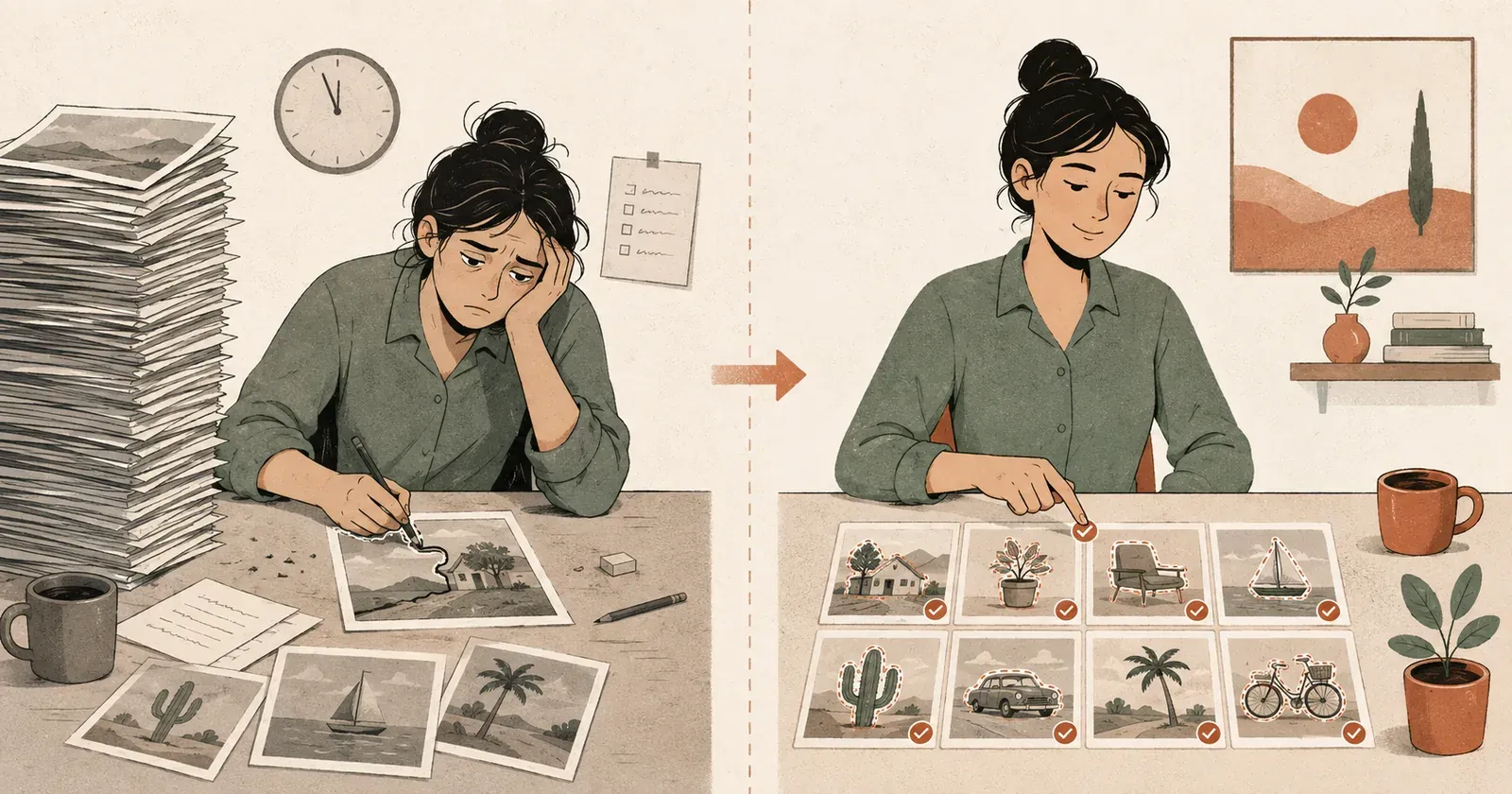
If you have ever labelled a dataset by hand, you know the exact moment the soul leaves your body. For most people it is around image 400. You have drawn the same box around the same kind of car forty times, your wrist has opinions now, and the counter in the corner says image 412 of 50,000 — which is less a progress bar than a hostage countdown.
This is the part of machine learning nobody puts in the highlight reel. Fancy models get the headlines; somebody, somewhere, spent three months outlining traffic cones so that model could exist. The good news is that this is finally changing. The bad news, if you were hoping to be replaced by a button, is that it is not changing the way the hype promised.
Manual Labeling
Draw, pick a class, repeat. The part that gives you the wrist cramp.
AI Suggestions
Search, zero-shot proposals and one-click masks do the repetition.
Human Review
You judge the doubtful cases instead of scrolling every file.
Verified Dataset
Trustworthy, traceable, and built with far less soul-leaving-the-body.
No, “Auto Annotate” is not a button that ends your job
Every few months someone announces that AI will fully automate labelling and we can all go home. Then you try it on a real dataset — scratches on machined parts, or your company’s weirdly specific taxonomy — and the model confidently labels a shadow as a defect and a genuine defect as nothing at all. General-purpose models are great at general things and clueless about your things. They have never heard of your labelling rules, and they do not know that in your project an SUV counts as a passenger car.
So the real shift is not humans out, robots in. It is messier and more interesting than that. The machine takes over the mind-numbing repetition; the human stays for the parts that need judgement — the examples, the edge cases, the “is that a defect or just grease.” The industry calls it human-guided automation. You could also call it: finally, the computer does the tracing.
The old way treats every image as equally worth your time
Classic annotation is a conveyor belt you operate by hand: open an image, squint until you find the object, draw the box or mask, pick a class, next. The trouble is not only the drawing. It is that the belt never speeds up for the easy stuff or slows down for the hard stuff — the 900th near-identical frame of an empty belt gets the same careful attention as the one genuinely tricky image that would actually teach the model something.
And a huge chunk of the work is not drawing at all. It is answering the same small questions on a loop: Is the object even in this shot? Which class is it? Did I already label something exactly like this? Is this prediction any good? Which of these forty thousand files should I look at first? Modern models can answer a lot of those before you draw a single box. That is where it gets fun.
Semantic search: stop scrolling, start asking
Picture 50,000 unlabelled images and a deadline. The old move is to open folders and scroll until your eyes glaze over. The new move is to type what you are looking for — “red cars in a parking lot” — and get the images most likely to contain them, ranked, in a second or two. Behind the scenes a vision-language model turns your text and every image into numbers (embeddings) and parks the ones that mean roughly the same thing near each other.
This does not label anything. It answers a question that used to cost you an afternoon: where do I even start? Models like SigLIP 2 are built for exactly this — image-and-text retrieval, zero-shot classification, and turning pictures into reusable representations you can search across — and they handle more than one language and can keep an image’s original proportions instead of squashing it into a square. In AnnotateIt this runs on your own machine over your own dataset.
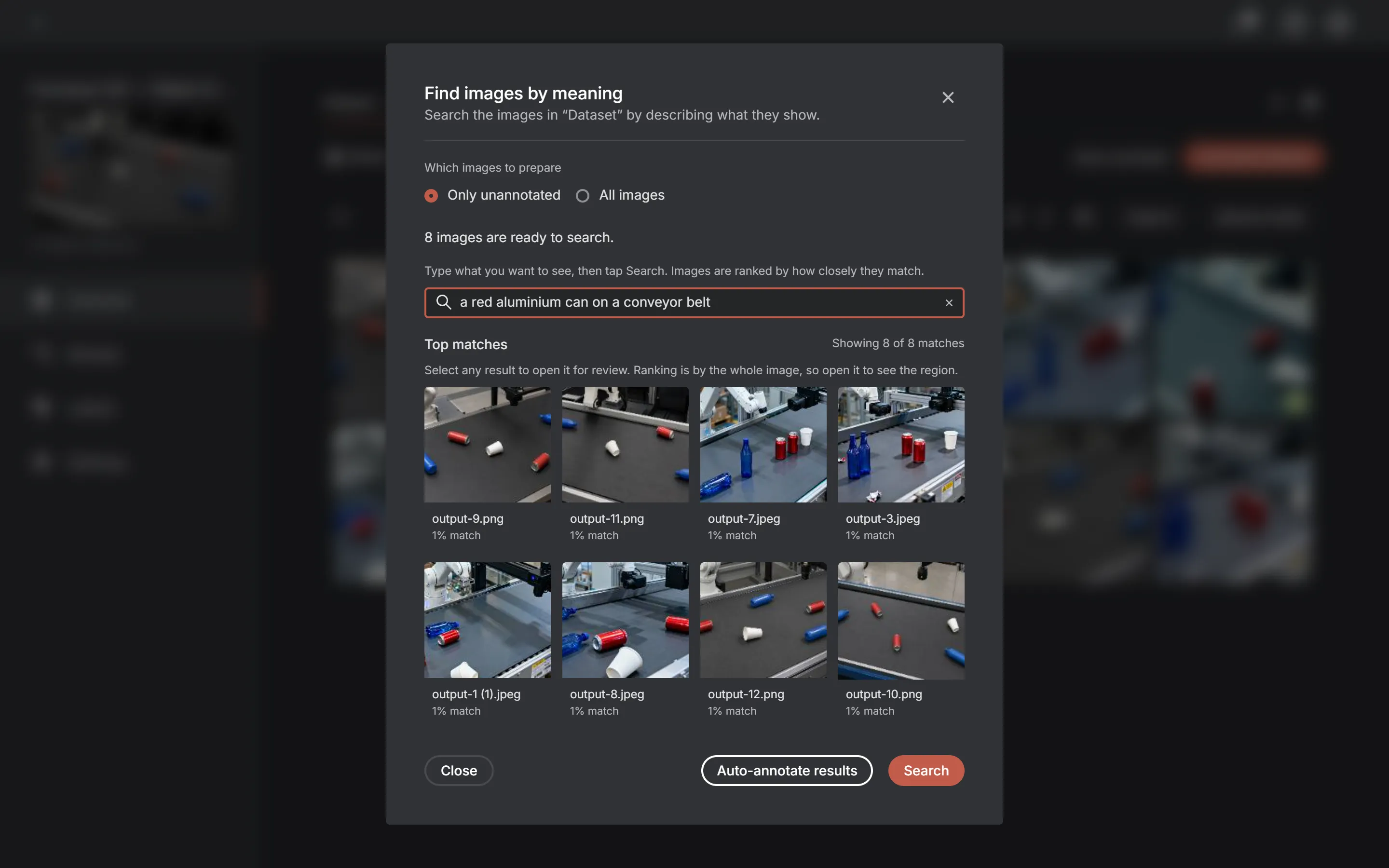
- Text-to-image search: describe it, find it.
- Image-to-image similarity: “find more like this one.”
- Surfacing representative examples worth annotating first.
- Loose clustering of visually related shots.
- A nose for the weird outliers that break your assumptions.
Which quietly solves the coldest problem in any new project: deciding what to annotate when you have nothing labelled yet.
Zero-shot models can guess your labels before you train anything
Old-school classifiers need labelled data before they know a cat from a couch. Zero-shot models skip the line: hand one an image and some plain-text class names, and it ranks which fits best, no training on your dataset required. Say your classes are passenger car, truck, bus and pedestrian — the model compares the image against descriptions of all four and tells you its best guess. Wonderful for day one, when you have opinions but no examples.
Now the part people skip: do not treat these guesses as gospel. A model knows “car” and “person” well enough, but it falls apart on the stuff that makes your project yours.
- Obscure industrial parts it has never seen.
- Two subclasses that look identical to anyone who does not work there.
- Your internal codenames.
- Rare defects.
- The inclusion-and-exclusion rule that lives only in your team’s heads.
One project files an SUV under passenger car; the next gives it its own class. No off-the-shelf model can read your mind about that, and it is a little unfair to expect it to. So the best use of zero-shot classification is not “label everything for me.” It is “point at where each class probably shows up, and I’ll take it from there.” Suggestions, not verdicts.
Interactive segmentation: click once, skip the tracing
Finding the image and guessing its class still leaves the annoying part — the geometry. Boxes, polygons, pixel masks; the stuff that gives you the wrist cramp. This is where interactive segmentation earns its keep. Instead of hand-drawing a polygon vertex by miserable vertex, you nudge the model with a hint and it hands back a clean outline. Click a can, get the can, right down to the dent.
- A positive click on the thing you want.
- A negative click on the background you don’t.
- A rough bounding box.
- Or a starter mask to refine.
The Segment Anything project showed a promptable model could generalise to brand-new kinds of images without special training — its data engine produced over a billion masks. SAM 2 pushed the same idea into video, adding memory so it can follow an object frame to frame. But here is the honest limit, and it is the whole point: interactive segmentation is brilliant at answering which pixels belong to the thing you clicked, and has basically no opinion about what the thing is called. SAM will happily outline a car and feel nothing about whether your schema calls it car, vehicle or SKU_44718. Which is exactly why it pairs so well with the language models: one finds and names the object, the other draws it. You would not ask your GPS to change a tyre.
One good example can be worth a thousand
In manual work, finishing an annotation helps exactly one image, then it is gone into the pile forever. In a guided workflow a verified annotation keeps paying out. Watch how one example snowballs:
- Semantic search surfaces a handful of images that probably show a damaged connector.
- You pick the clearest one.
- Interactive segmentation masks it.
- You fix the edge it got slightly wrong and confirm it.
- That cropped object becomes a positive example for the class.
- The system — this is what AnnotateIt’s Visual Prompt does — goes hunting for objects that look like it across the whole dataset.
- The next batch of candidates lands on your desk for a quick yes or no.
Your first annotation stopped being a one-off the moment you confirmed it. Now it is fuel. The system slides from “search by text” toward “search by example” — words gave it the rough idea, your confirmed picks make it specific to your data. The reference set is one-sided by design: confirmed objects steer future guesses, while rejecting a bad draft simply deletes it — the tool keeps no memory of your rejections and does not rank guesses against them. You are still teaching, but only with the thumbs-ups.
Review decisions, not files
Here is a trap a lot of “AI-assisted” tools fall into. They generate predictions for all 50,000 images, and then still march you through all 50,000 one at a time. Congratulations: we automated the drawing and kept the scrolling. A tool worth its salt should instead build you a queue of the stuff that actually needs a human.
- Shaky low-confidence predictions.
- Cases where two models disagree.
- Brand-new visual clusters.
- Rare classes.
- Tiny or half-hidden objects.
- Spots where an annotation is probably missing.
- Anything unlike what you have already confirmed.
This is the old idea behind active learning: spend your attention on the most informative examples instead of grinding through data in file-name order. Researchers have poked at uncertainty, diversity and representative-sample selection for years, all aimed at the same thing — fewer labels, same result. So the number in the corner should stop saying “image 173 of 50,000” and start saying “42 decisions need you.” Each of those forty-two might quietly fix a thousand images downstream.
AnnotateIt has taken the first half of that idea and made it concrete. Pre-label in bulk — a whole dataset, a selection, a filter or your search results — and every prediction is written as a pending draft instead of dropped straight into the dataset, then held in a review queue behind a persistent “Review N” button until you have worked through it. Those drafts stay out of your exports, your dataset versions and your statistics until you accept them, so nothing unreviewed can leak into a training set by accident. What it does not yet do is the clever part above — ranking that queue by uncertainty or novelty so the most informative images float to the top. Holding the drafts safely for review is shipped; deciding their order for you is still a job a person drives.
A confident model is not the same as a correct one
Automation brings a fresh hazard: it can be wrong at scale, fast, faster than you can catch it. A displayed 0.98 might be a detector confidence, a calibrated ranking value or a similarity score; it is not automatically a 98% probability that the annotation is correct. AnnotateIt therefore labels Text Prompt output as Match and shows it as a decimal rather than a percentage. Scores from different methods are not interchangeable, and several models can still be wrong in the same direction at once.
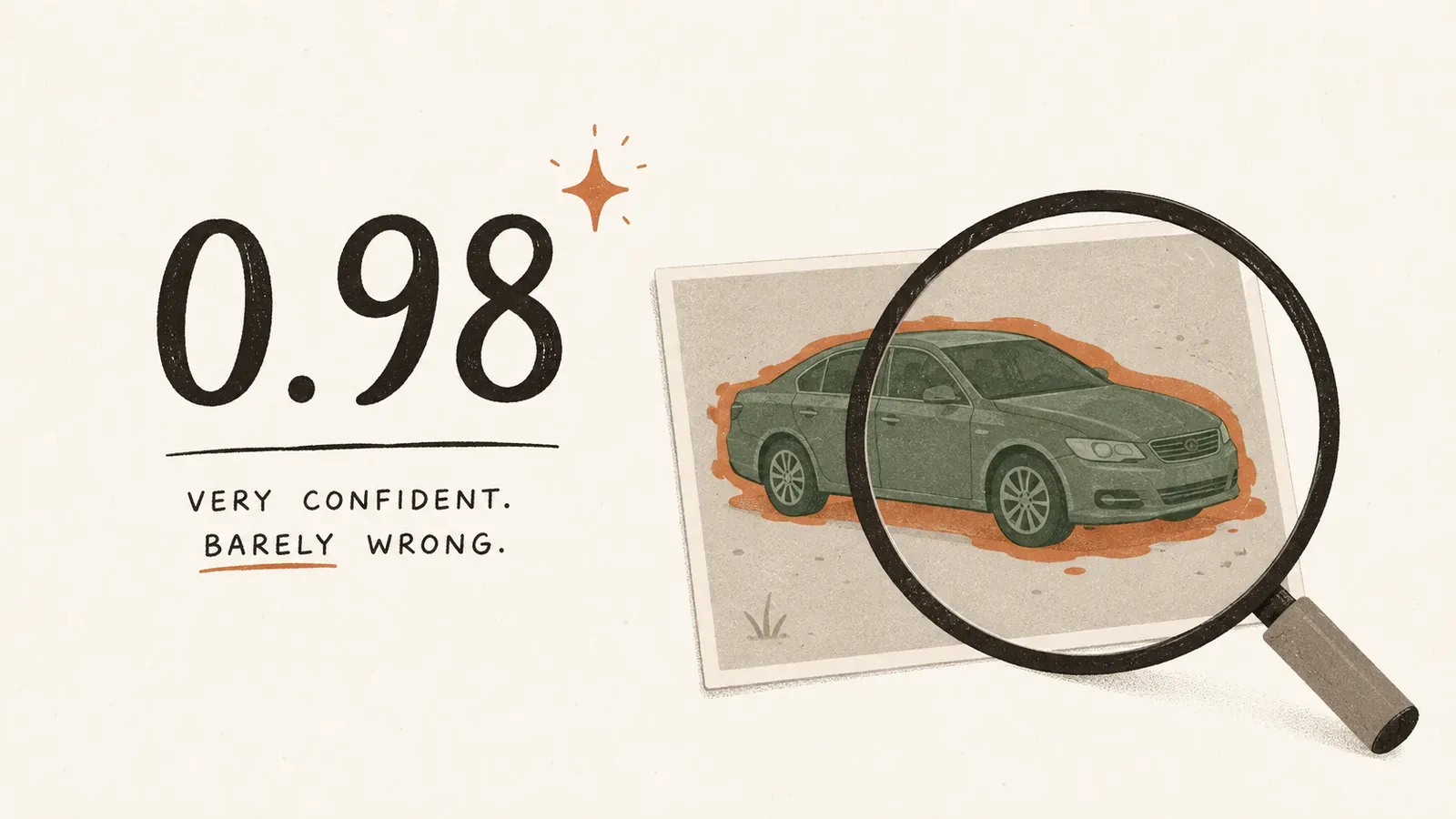
This matters most where being wrong is expensive: medical images, self-driving stacks, factory inspection, anything safety-critical, anything with hair-thin class boundaries. And segmentation models that shine on everyday photos can quietly flop on an unfamiliar domain — studies poking at SAM in unusual settings found it often needs adaptation and a human still in the loop. Which is why a serious tool should remember where every annotation came from — drawn by hand, proposed by AI, auto-accepted, checked by a person, corrected by a person, produced by a specific model version. Boring metadata, sure. But it is the difference between “the dataset is good, trust me” and “the dataset is good, and here is the receipt.”
The loop that actually works
The winning workflow is not one heroic “Auto Annotate” click. It is a loop you go around, and people stay in charge the whole way:
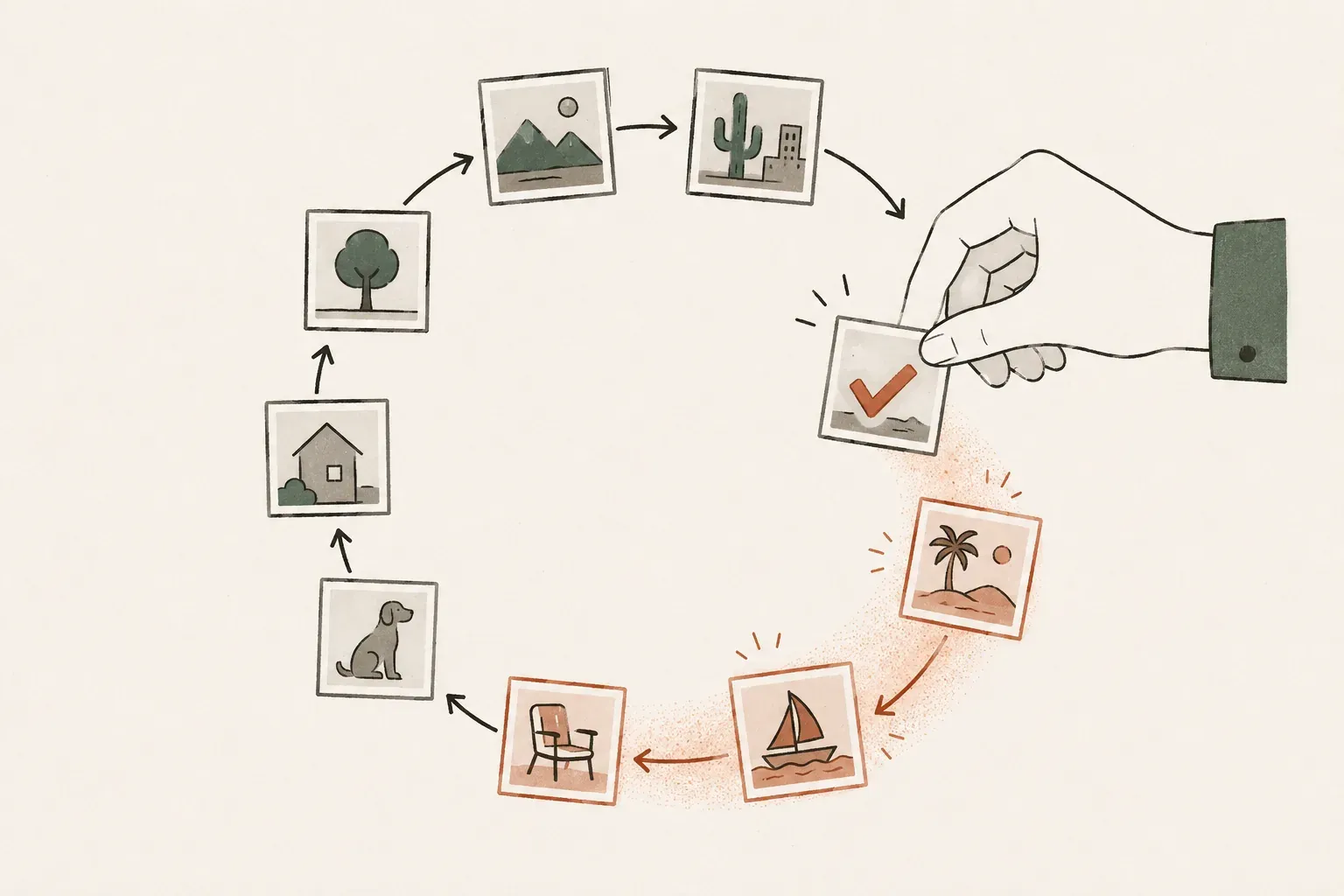
- Get to know the data — embeddings, duplicates, clusters, the oddballs.
- Find good starting points — let search and diversity pick a few seed images worth your time.
- Make a few great references — annotate or verify a small set of clear yes-and-no examples.
- Spread it around — similarity, zero-shot, interactive segmentation and tracking generate candidates.
- Look at the doubt — surface the conflicts and likely mistakes instead of every single file.
- Learn from your corrections — every accept and reject becomes a new reference and reshuffles what comes next.
- Sanity-check the whole thing — AnnotateIt’s dataset quality scan hunts for unannotated media, byte-identical duplicates, class imbalance and geometry that looks cursed.
Nobody is taking the human out of the loop
The annotator’s job is not disappearing; it is levelling up. Less “drag a cursor around ten thousand outlines,” more:
- Setting the rules.
- Choosing the examples that matter.
- Untangling the ambiguous cases.
- Fixing the genuinely hard ones.
- Vouching for quality.
- Calling it when the dataset is actually done.
That is not the easy job. It asks for more judgement and more domain smarts than any amount of careful tracing ever did. Good automation does not hide the human; it aims them at the decisions where they are worth the most.
From annotation tools to something that understands your data
The next wave of annotation software will not win on having a slightly nicer polygon editor. It will win on how well it understands the dataset sitting in front of it — the questions you cannot grind out by hand:
- What should I label first?
- Which images are basically clones?
- Which one is a genuinely new pattern I have not seen?
- Where are labels probably missing?
- Which predictions can I trust?
- Which twenty human decisions would improve the next thousand results?
So the future of data annotation is not “AI made the labels.” It is a partnership with a clear division of labour: the AI searches, proposes and propagates; the human defines, verifies and corrects. That is the whole move, from manual labelling to human-guided automation. It is less magical than the fully-autonomous fantasy, and it is the version that actually ships a dataset you would stake something on — with a lot less soul-leaving-the-body at image 400.
Frequently asked questions
- Does AI fully automate data annotation now?
- No, and treating it as if it does is how bad datasets get made. AI handles the repetitive parts — finding where to start, proposing labels, drawing geometry — but it cannot reliably apply project-specific rules, tell apart look-alike subclasses, or know your internal taxonomy. The reliable pattern is human-guided automation: the model proposes, a person verifies and corrects.
- What is human-guided automation in annotation?
- A workflow where AI does the grind and a person makes the decisions. The model searches the dataset, suggests labels and outlines objects; the human sets the rules, resolves ambiguity, fixes hard cases and verifies quality. Each verified example feeds back to improve the next round of suggestions.
- Can I trust a high-confidence AI annotation?
- Not on the score alone. A detector confidence can be miscalibrated on a new dataset, while a Text Prompt Match value is a similarity score rather than a probability. Use the appropriate model score to prioritise review, not to skip it — especially in medical, autonomous, industrial or other safety-critical datasets.
- Does interactive segmentation know what class an object is?
- No. It answers which pixels belong to the object you pointed at and returns geometry with no class of its own. The label comes from you (or from a separate model you confirm). That is why interactive segmentation pairs with vision-language models: one draws the shape, the other helps name it.
- What does semantic search do for annotation?
- It answers “what should I look at first?” by ranking images against a text or image query, so you start from the examples most likely to matter instead of scrolling folders. It creates no annotations by itself; it solves the cold-start problem of an unlabelled dataset.