Collect images and video, annotate with local AI, ChatGPT or Claude, and turn reviewed datasets into measured results. Local-first storage, with an optional online chat for annotation.
Pick a task: detection, segmentation, keypoints or classification.
02
Collect media
Import files or datasets, or collect from a camera, screen or video-file source. Inspect staged captures before accepting them.
03
Prepare images
Select useful frames, filter by source, crop, resize, adjust colour or redact image regions before labelling.
04
Annotate
Label manually or let on-device AI do the heavy lifting.
05
Review and freeze
Accept or reject AI drafts, run a quality scan, assign train/validation/test, then save a version you can diff or restore.
06
Evaluate and iterate
Measure an available model on reviewed test images. Export the dataset, or use the experimental desktop ML runner workflow.
Annotate with ChatGPT or Claude
Describe it. Refine it. Review it on the canvas.
Ask for boxes, segmentation polygons or image classes in plain language. Work with one image or video frame in chat, or give Auto-annotate one instruction for a batch of images. Review the results directly in AnnotateIt.
Example request
“Create a Dinosaur label, then outline every dinosaur in this image.”
01
Ask in context
Open Annotate with ChatGPT or Claude above Next. The current image or frame is attached by default; you can turn it off.
02
Refine together
Create, rename, recolor or delete project labels with confirmation. Ask follow-up questions to refine pending boxes or polygons.
03
Accept or reject
Review the usual AI suggestions on the canvas. Use the existing Accept / Reject controls; the chat reports when nothing was annotated.
Optional online feature: an attached chat message sends one image or one frame and context to your selected provider, OpenAI or Anthropic. Starting an assistant batch sends eligible images and project labels from your chosen scope. No whole-video or keypoint generation. Local AI tools remain separate.
A computer vision platform
Collect better data. Know what your model gets wrong.
Annotation is one stage. Connect a source, select useful frames, turn AI suggestions into reviewed labels, preserve the dataset and measure the result.
Collect from the world or a recording
Camera, screen, video-file and, on desktop, RTSP/HTTP network-camera sources feed one capture workflow. Use timelapse, motion or Smart selection; inspect the staged results before accepting them.
Evaluate an available prediction engine against reviewed test images. Inspect task-specific metrics, per-label results and the exact data behind the score.
Capture availability depends on the platform. Network cameras need the desktop app; watched folders are not implemented. Optional ML jobs send the selected dataset to your configured runner.
AnnotateIt AI stores projects, media, labels and annotations on your device. Local AI models run on your hardware; optional external AI connections send the content needed for your requests to the selected provider (OpenAI or Anthropic).
Your media
Images and videos you import stay in local storage on your device.
AnnotateIt on your device
Manual tools and on-device AI models annotate locally. No account, no cloud backend.
Exported dataset
You export standard dataset formats to wherever you choose.
Projects, media, labels and annotations are stored locally on your device.
Local AI annotation runs on your device — CPU/WASM everywhere, WebGPU where available.
Local annotation downloads application and model files without uploading your dataset. Optional ML jobs explicitly send selected data to your configured runner.
Local annotation needs no AnnotateIt cloud account and has no cloud sync or server-side collaboration. Optional OpenAI or Anthropic connections use your own external account.
Optional AI Assistant can annotate the current image or video frame through OpenAI API or Claude API, or through ChatGPT via Codex or Claude Code on Windows/macOS. Sending a message with the image attached shares its preview, project labels and annotation context with the selected provider (OpenAI or Anthropic). Attachment is on by default in external-assistant mode and can be disabled. Local AI tools remain separate; optional ML jobs send selected dataset bundles to your configured runner.
Built for people who build computer vision datasets
AnnotateIt is a single-user tool by design — no accounts, shared team queue or multi-user approval workflow. AI drafts still have a local review queue before they become ground truth.
Independent computer vision engineers
Collect, annotate and evaluate data without an annotation server or account. Export to your own training stack, or prepare a separate ML runner for the experimental desktop fine-tuning workflow.
Pre-publication images and unfiled IP stay on the machine that produced them. Dataset versions, seeded splits and quality checks all run locally, so the dataset behind a paper stays reproducible without a hosted platform holding it.
Field laptops, restricted networks, client material under NDA. The native builds bundle the default AI engines, so the whole loop — import, AI-assisted labelling, export — runs with no network at all.
Not your situation? If several people label from one shared queue with assignment and review stages, a server-based tool is the better answer — and the comparison says which one. See the comparison
Annotation tasks
Built for computer-vision datasets
Create a project for the task you are training for — every project type has purpose-built annotation and video workflows.
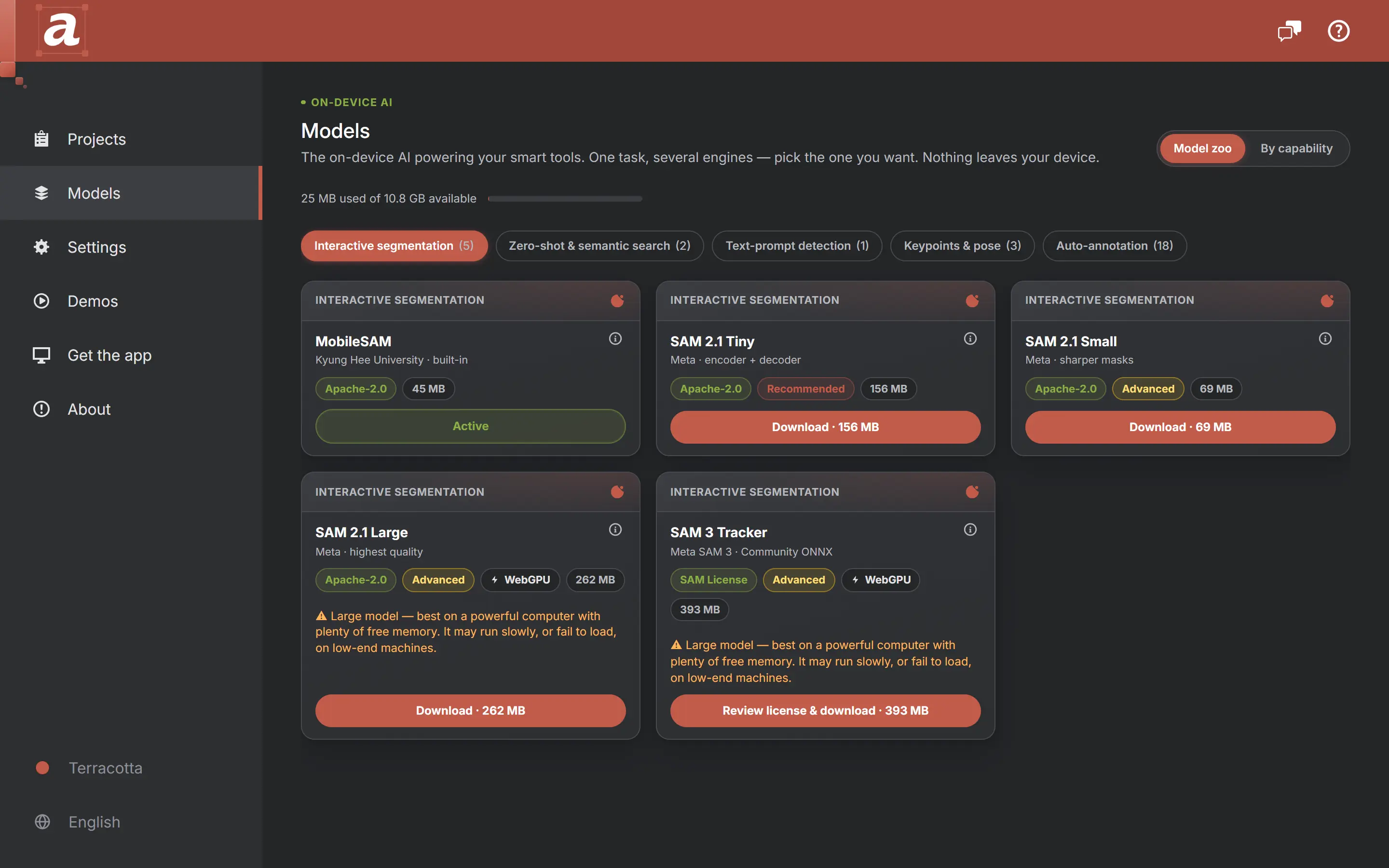
Every model below executes on your machine. Built-in engines are ready immediately; larger ones download on demand — and still run locally.
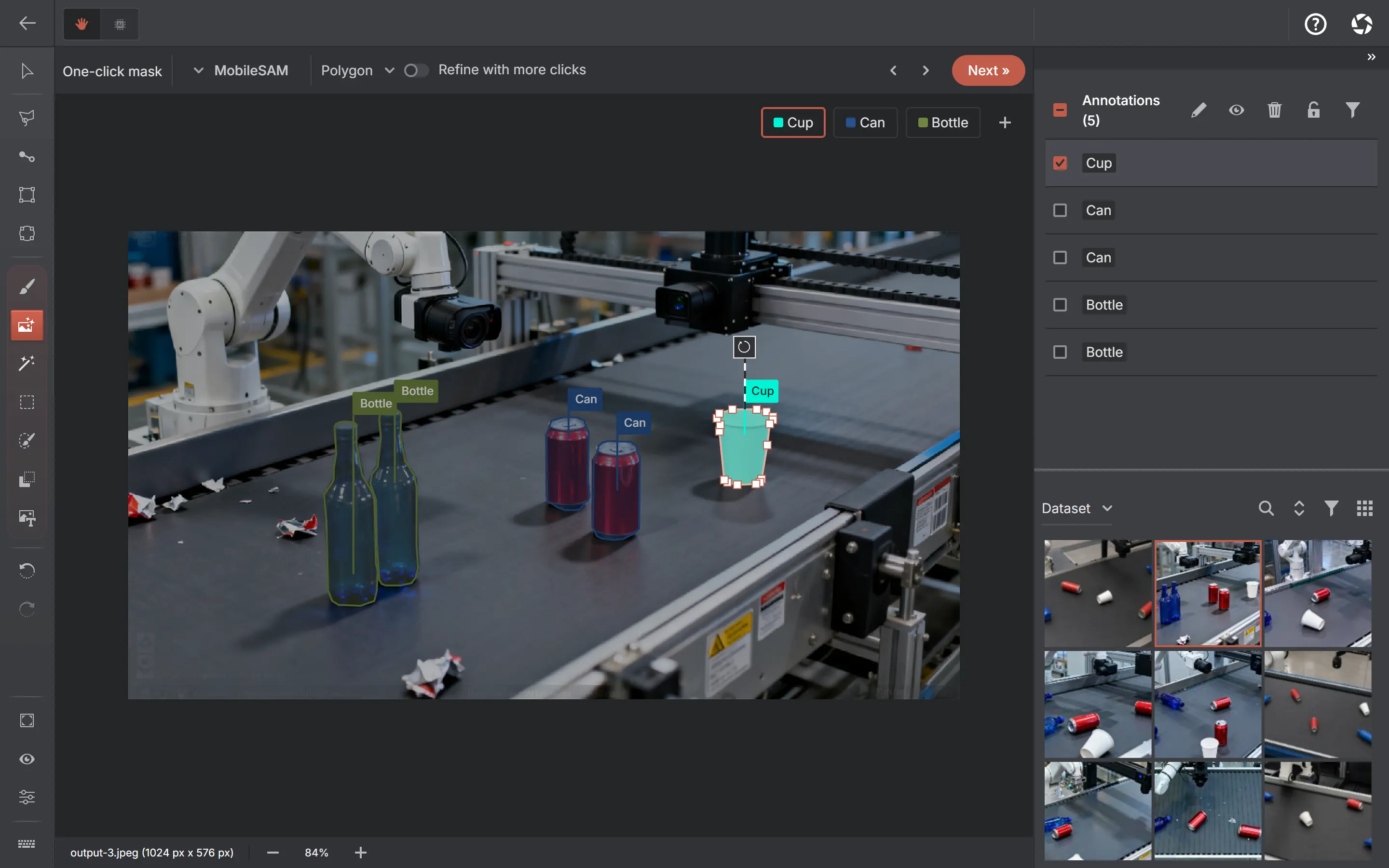
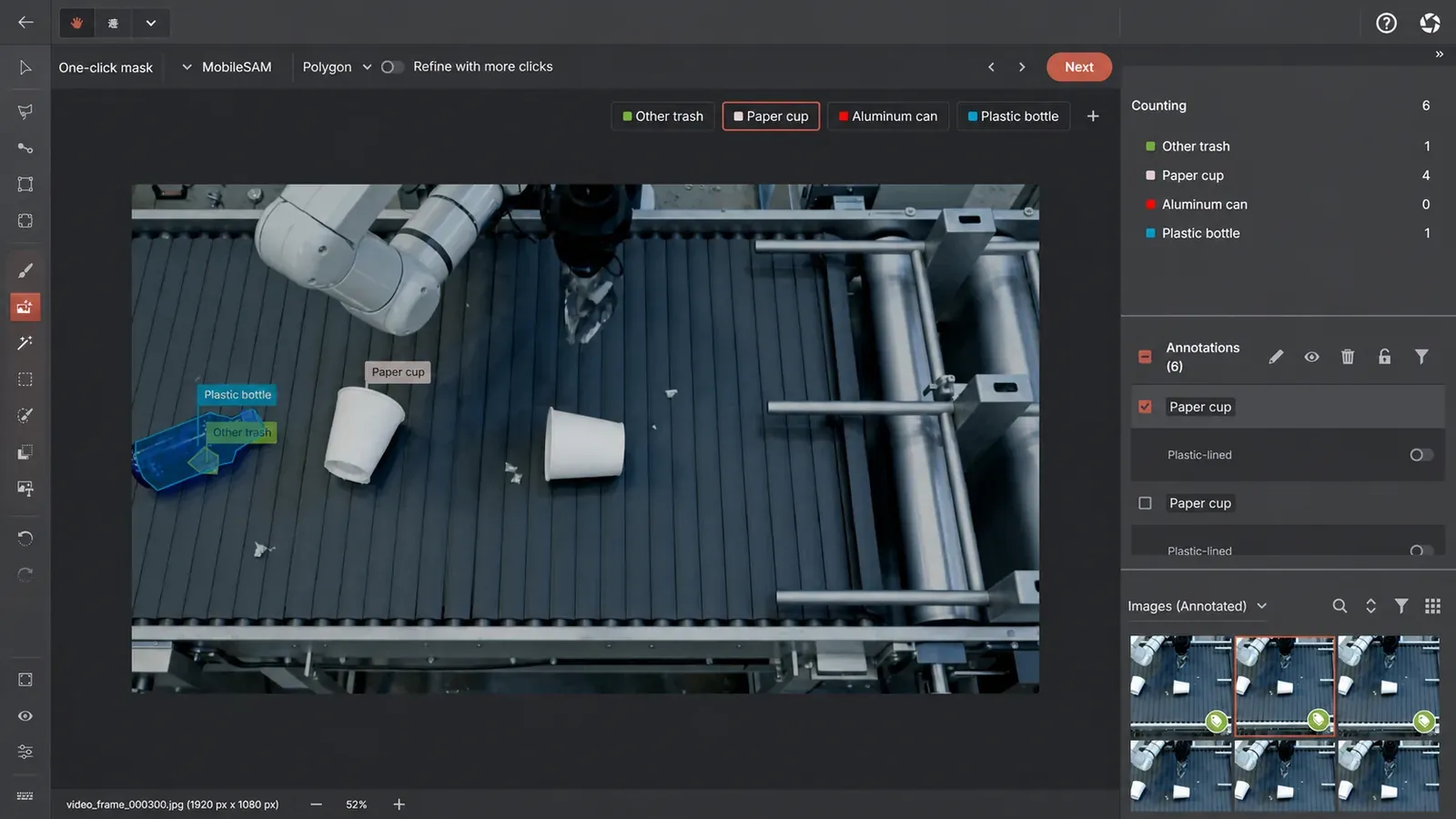
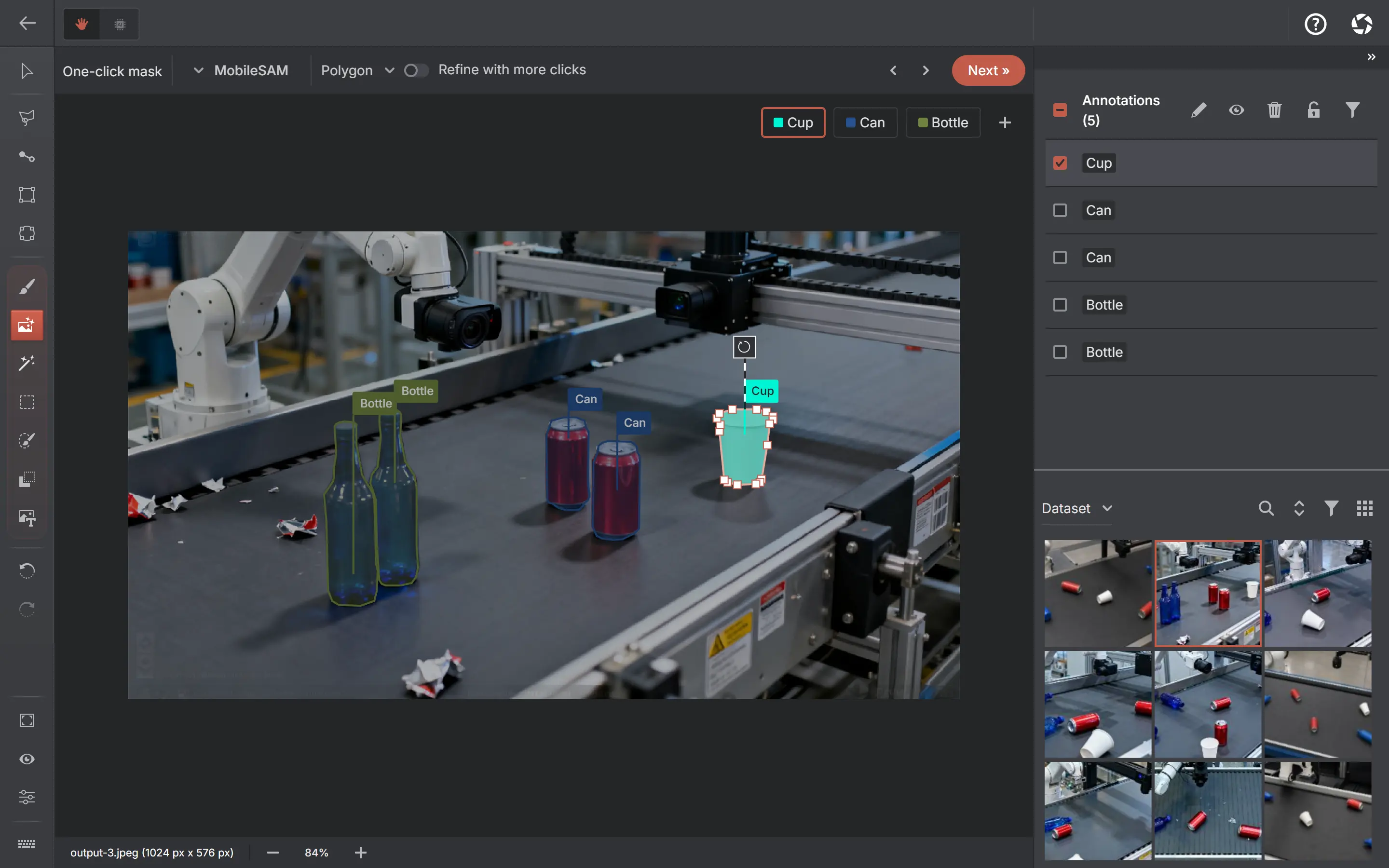
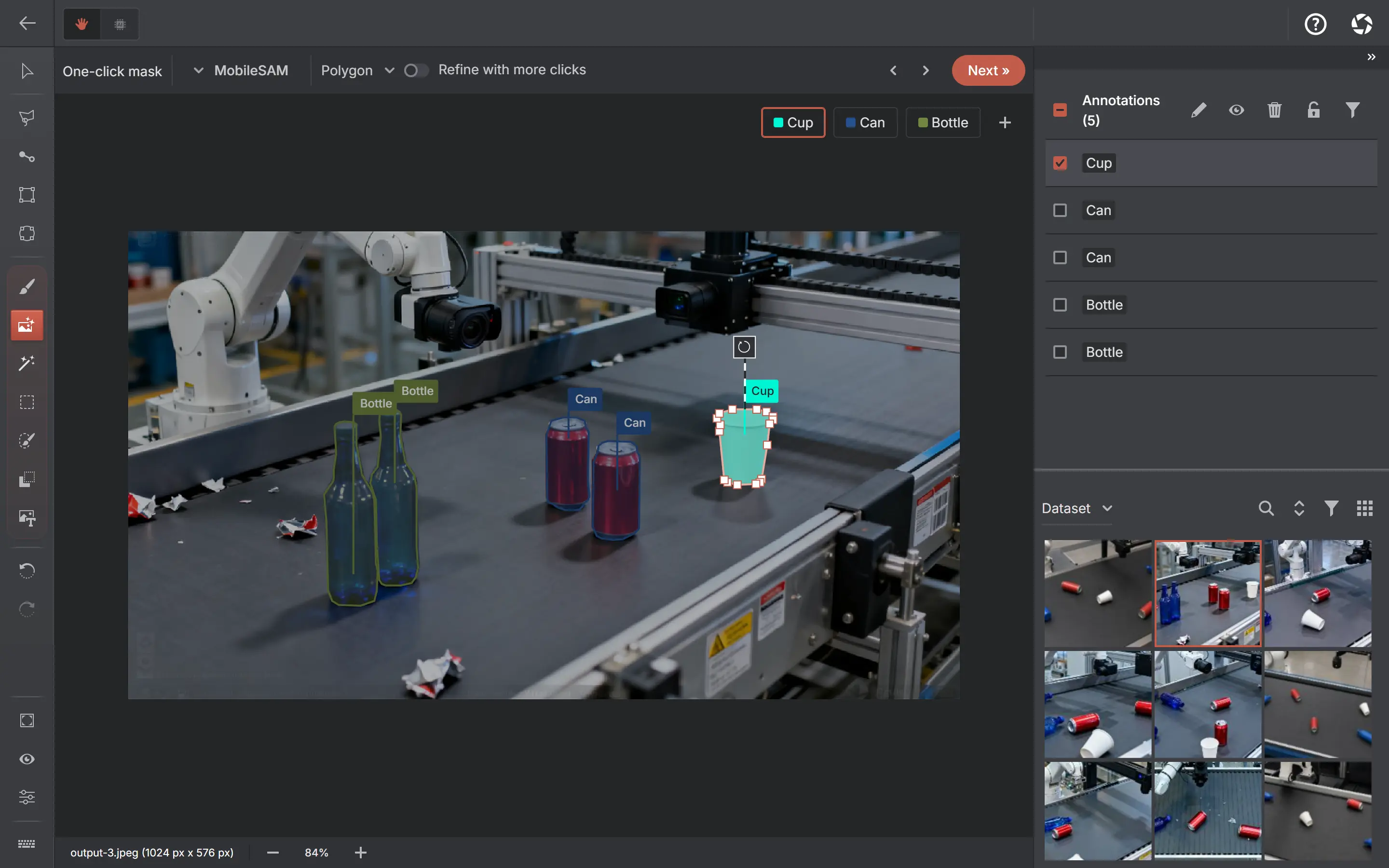
One-click segmentation
Select an object. Refine its shape.
How it works & available engines +
Click an object to get an editable polygon by default, refine with clicks, or choose Mask to keep the model’s exact pixels. MobileSAM is built in; SAM 2.1 Tiny, Small and Large and SAM 3 Tracker are optional where the platform supports them.
MobileSAMBuilt-in
SAM 2.1 Tiny / Small / LargeOn-demand download
SAM 3 TrackerOn-demand download
Text-prompt annotation
Describe the objects you want to find.
How it works & available engines +
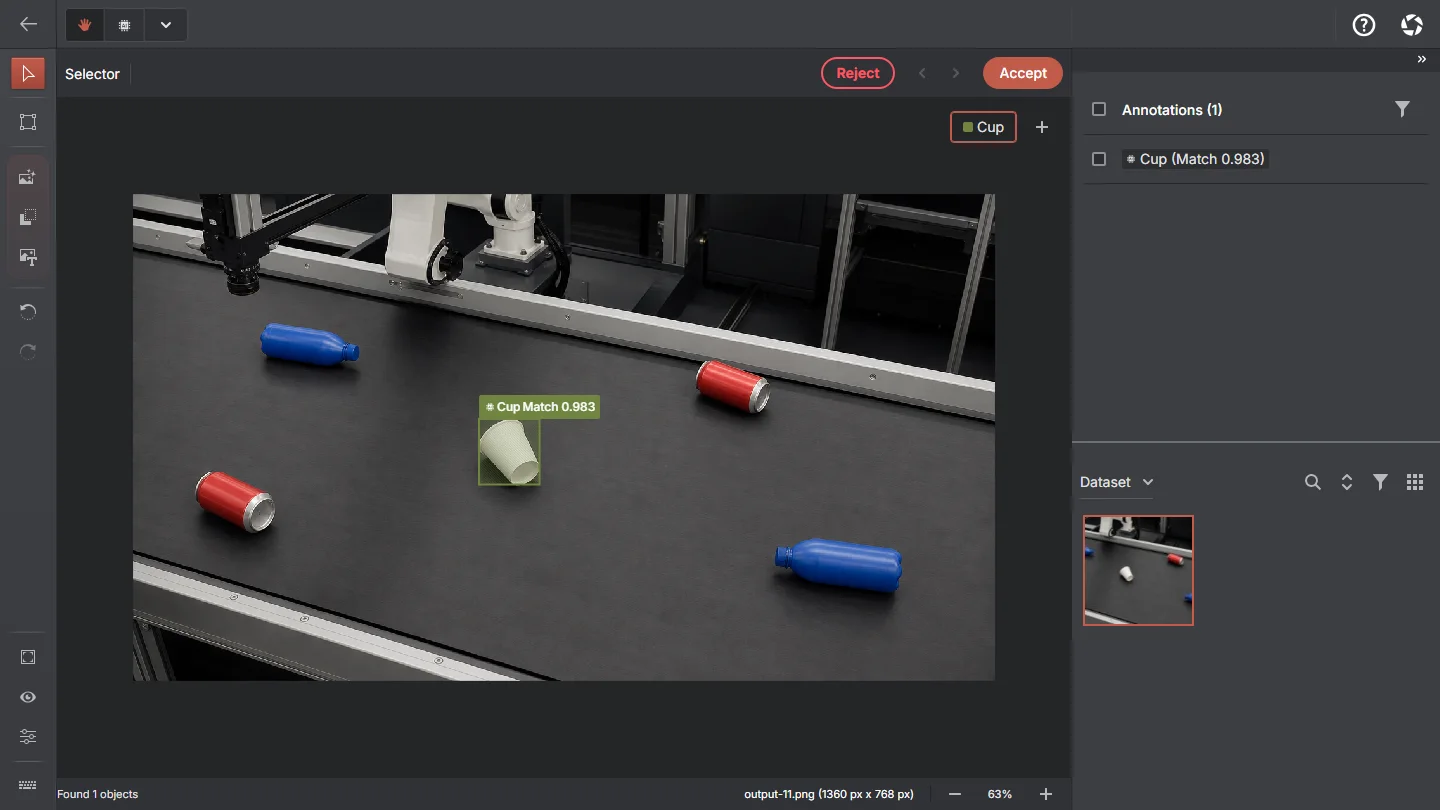
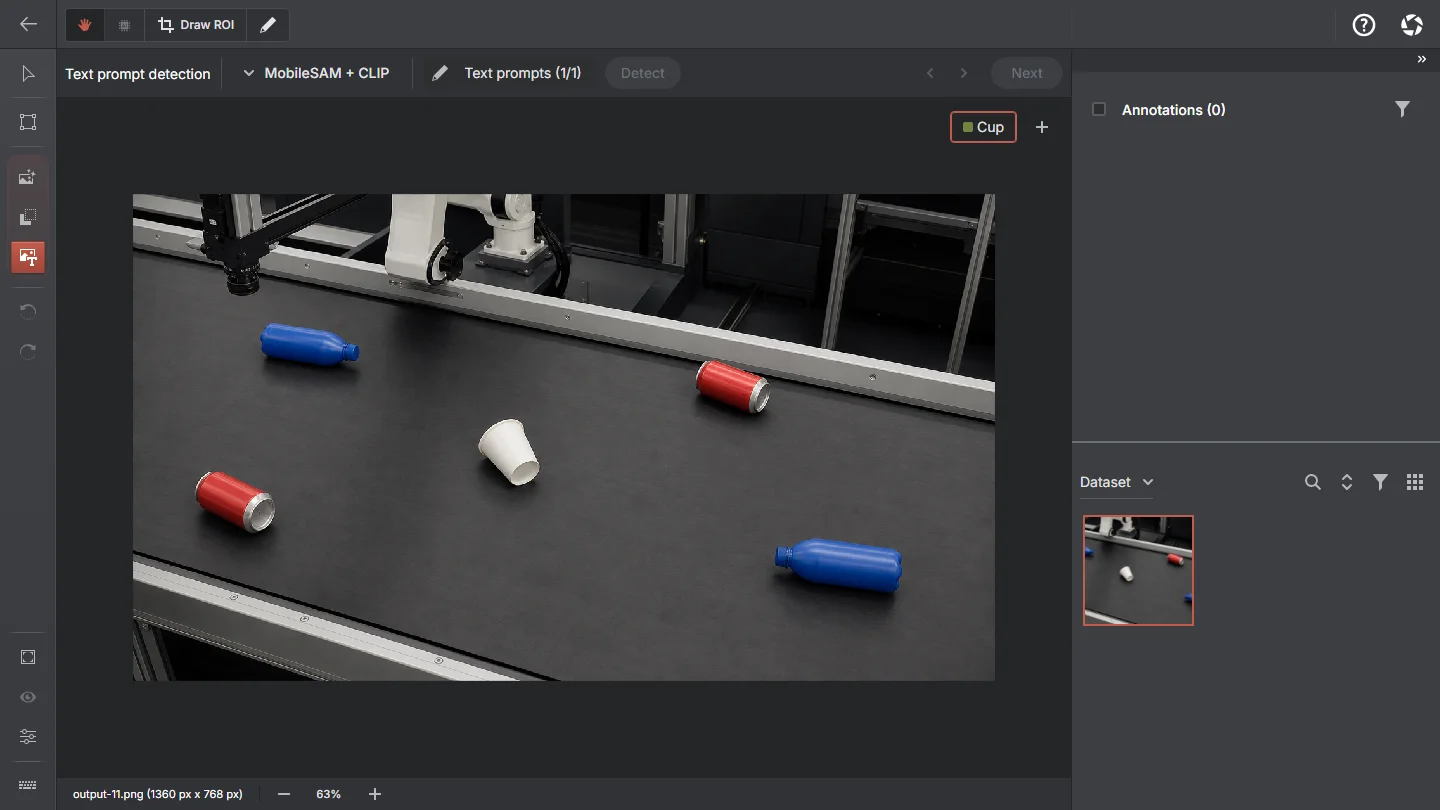
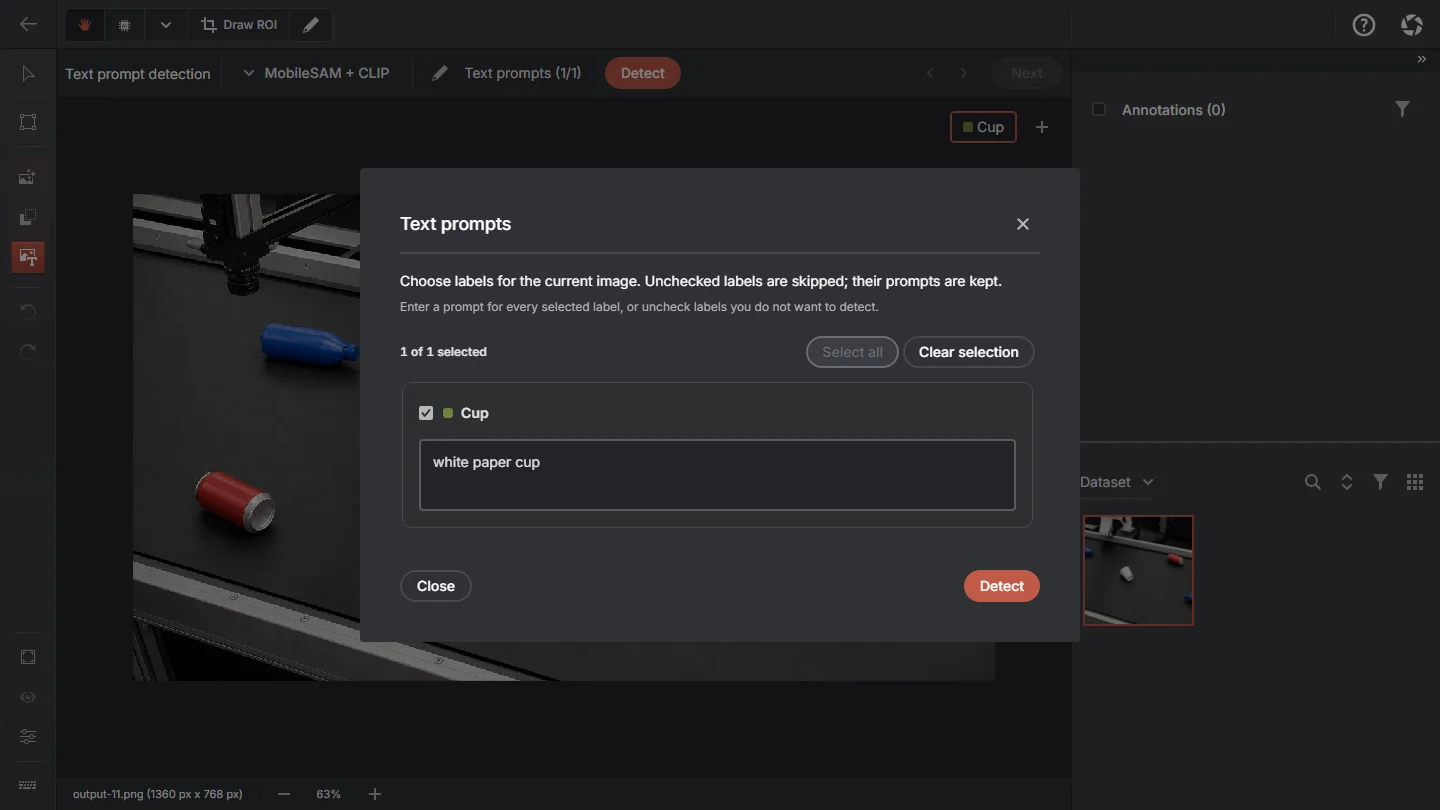
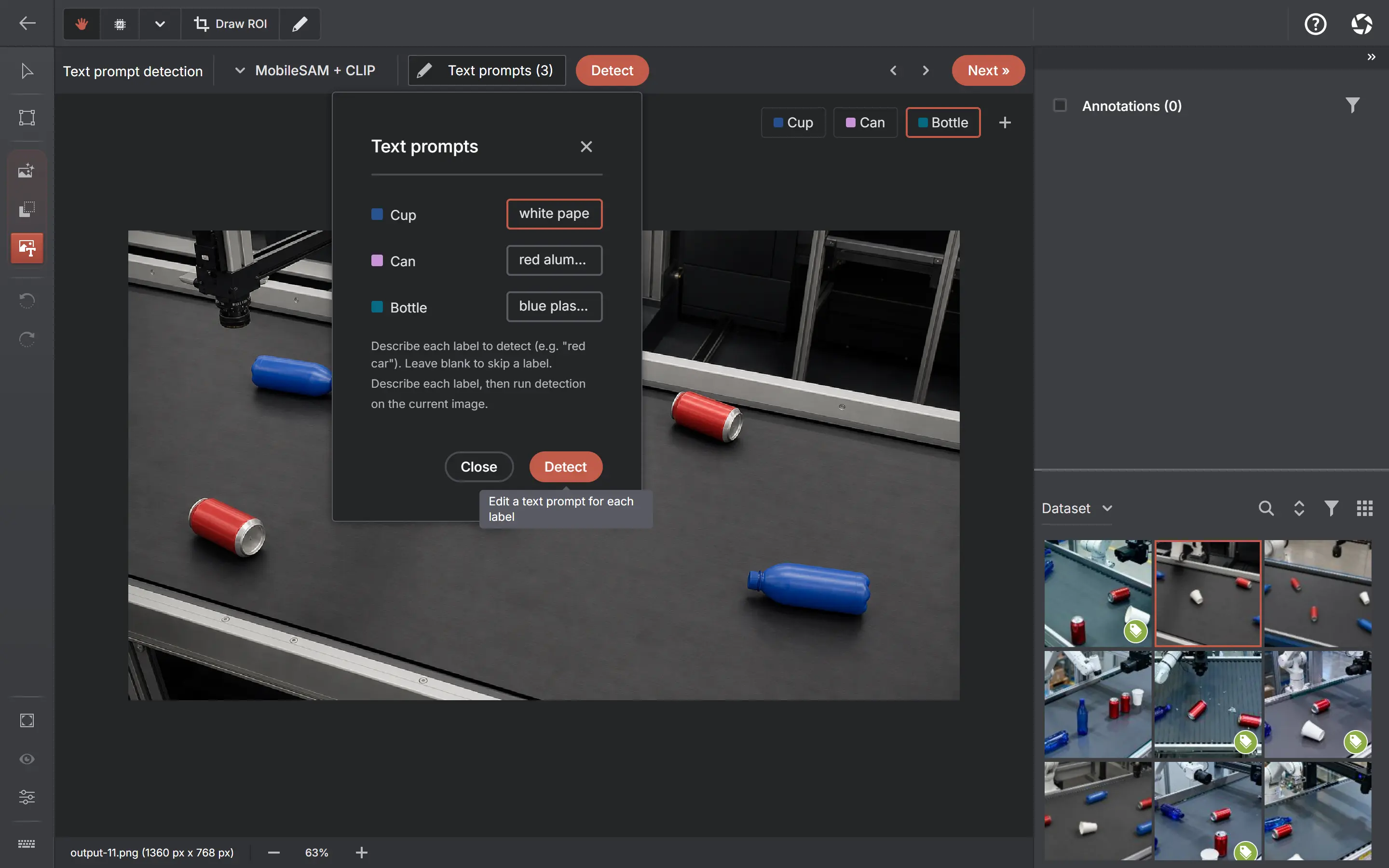
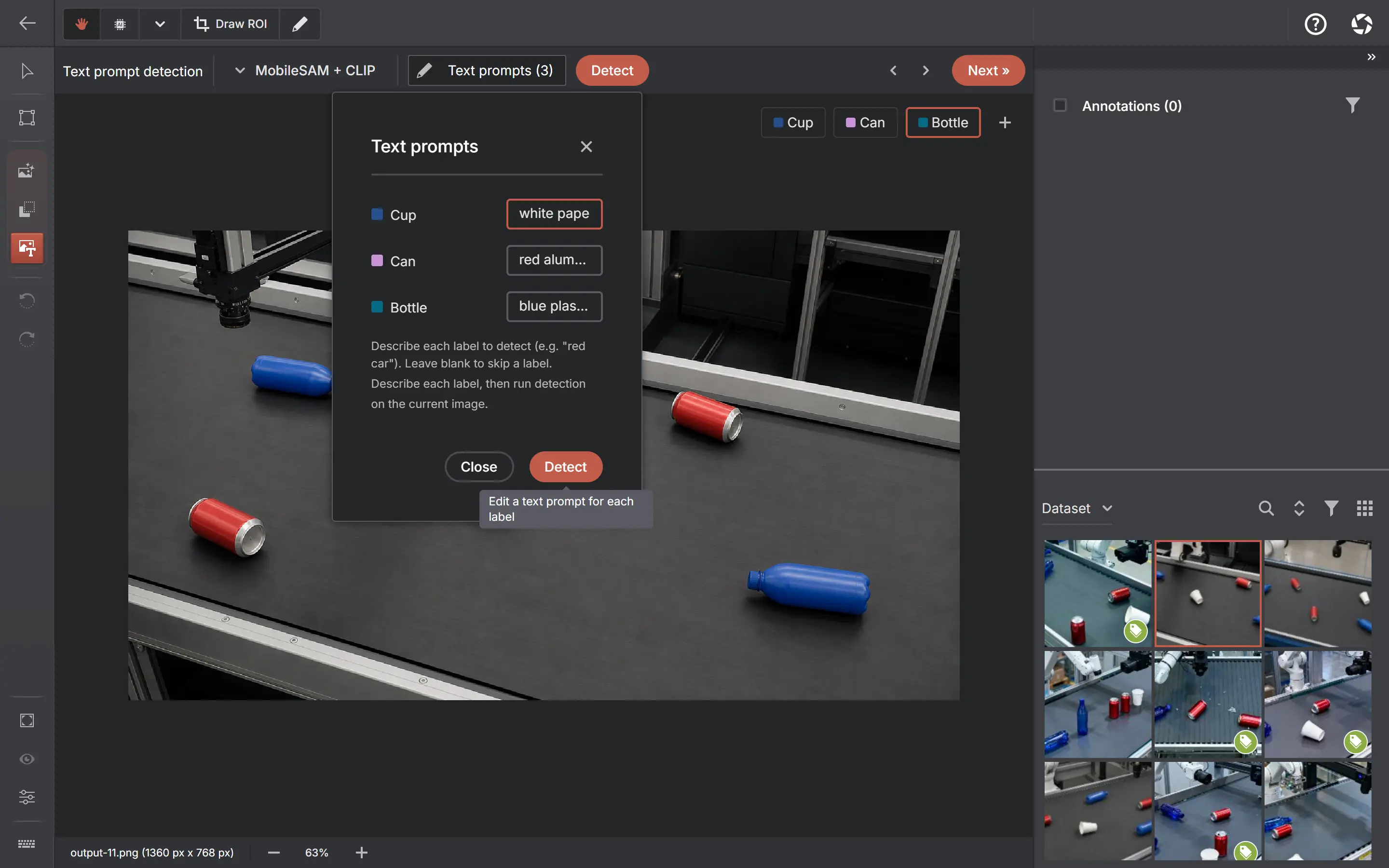
Describe each label once. The active MobileSAM, SAM 2.1 or SAM 3 engine proposes regions and CLIP or SigLIP 2 ranks their similarity; in detection projects Grounding DINO can instead predict boxes directly. The toolbar names the exact pair that will run.
MobileSAM + CLIPBuilt-in
Active SAM + SigLIP 2On-demand download
Grounding DINO TinyOn-demand download
Semantic search & batch pre-labelling
Find the right images in your dataset.
How it works & available engines +
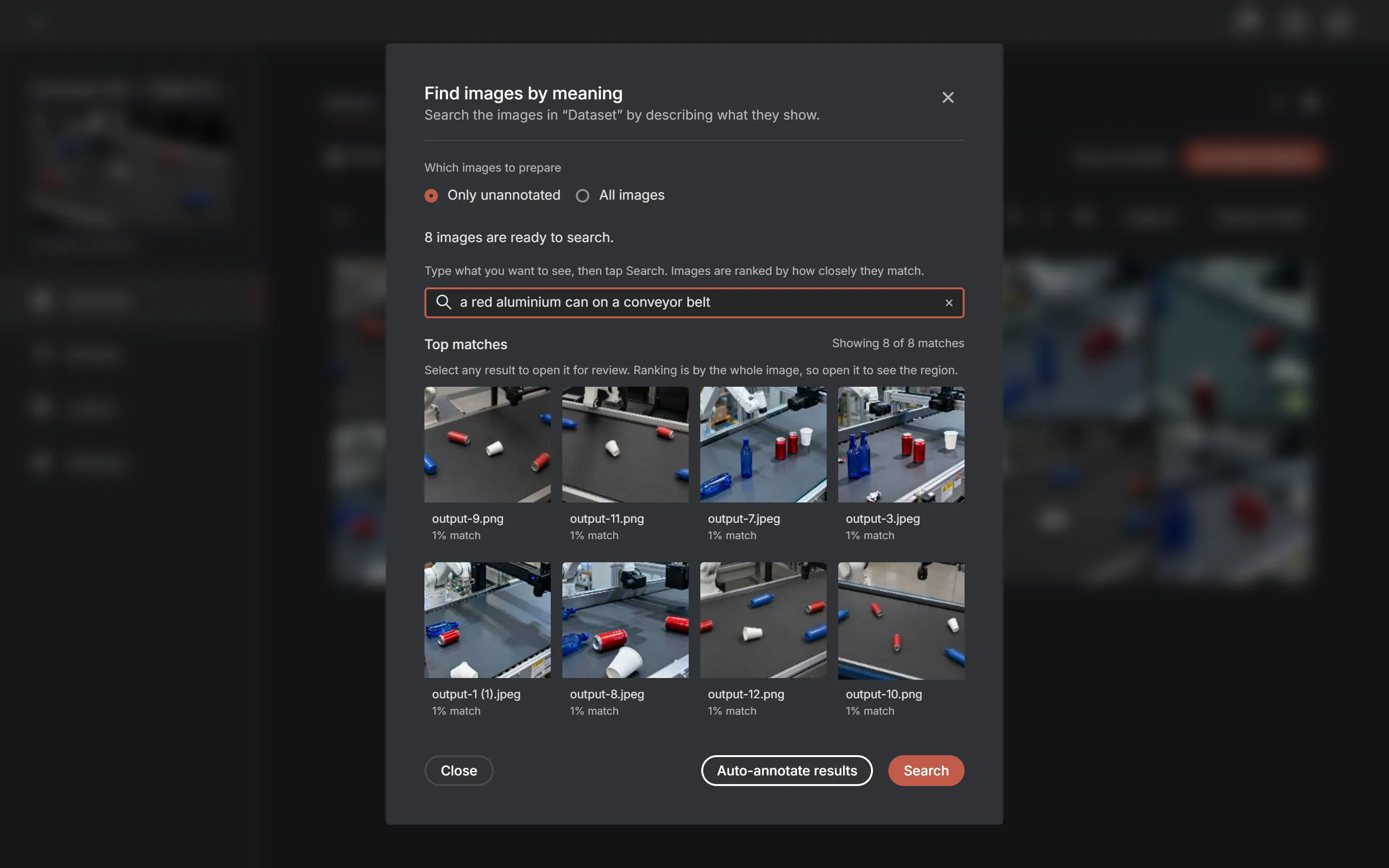
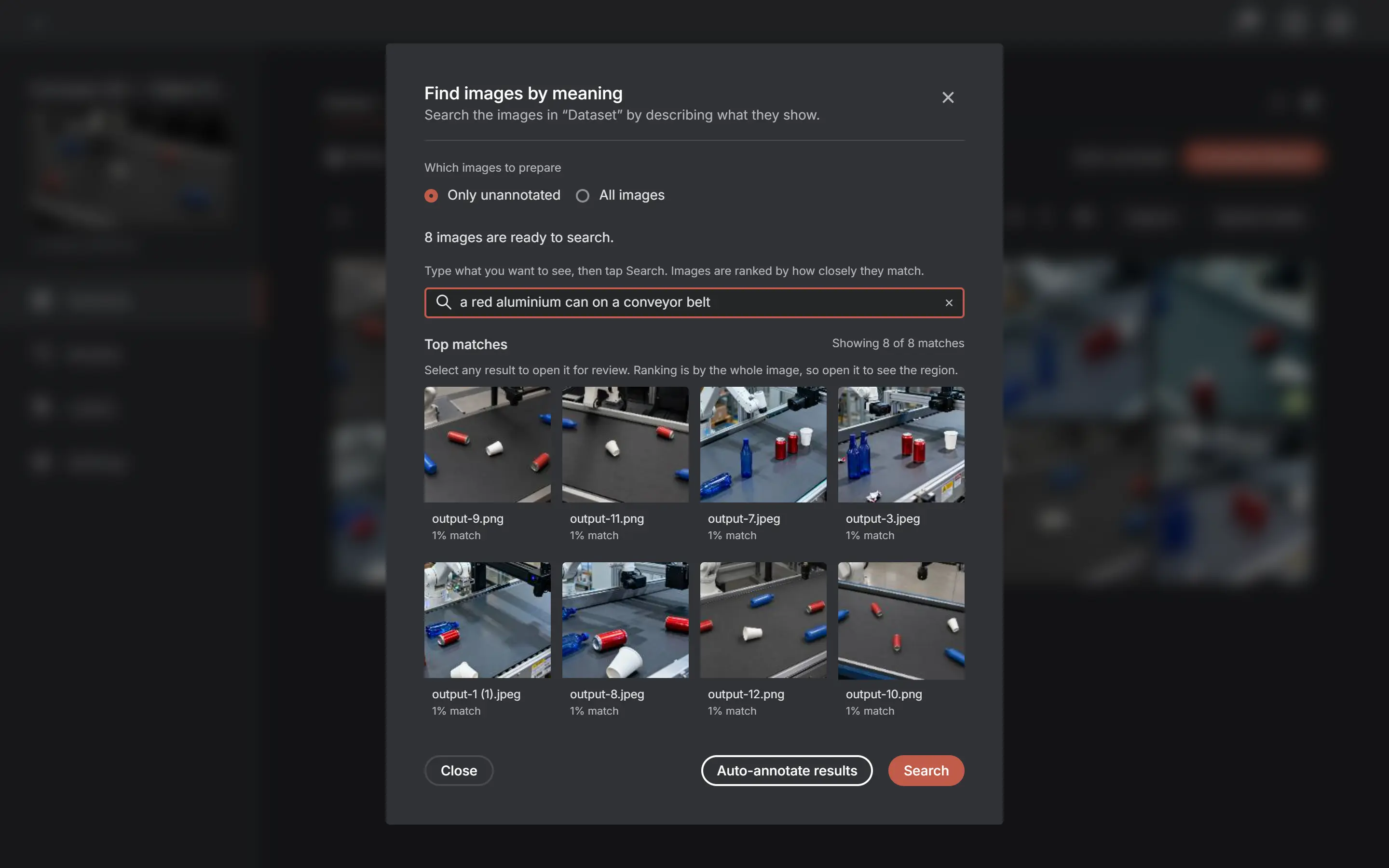
Describe what you need — "a red car at night" — and every matching image in the dataset is ranked, with a heatmap of where it matched. Turn the result set into a batch run, or launch Auto-annotate from a dataset, selection or filter.
CLIPBuilt-in
SigLIP 2On-demand download
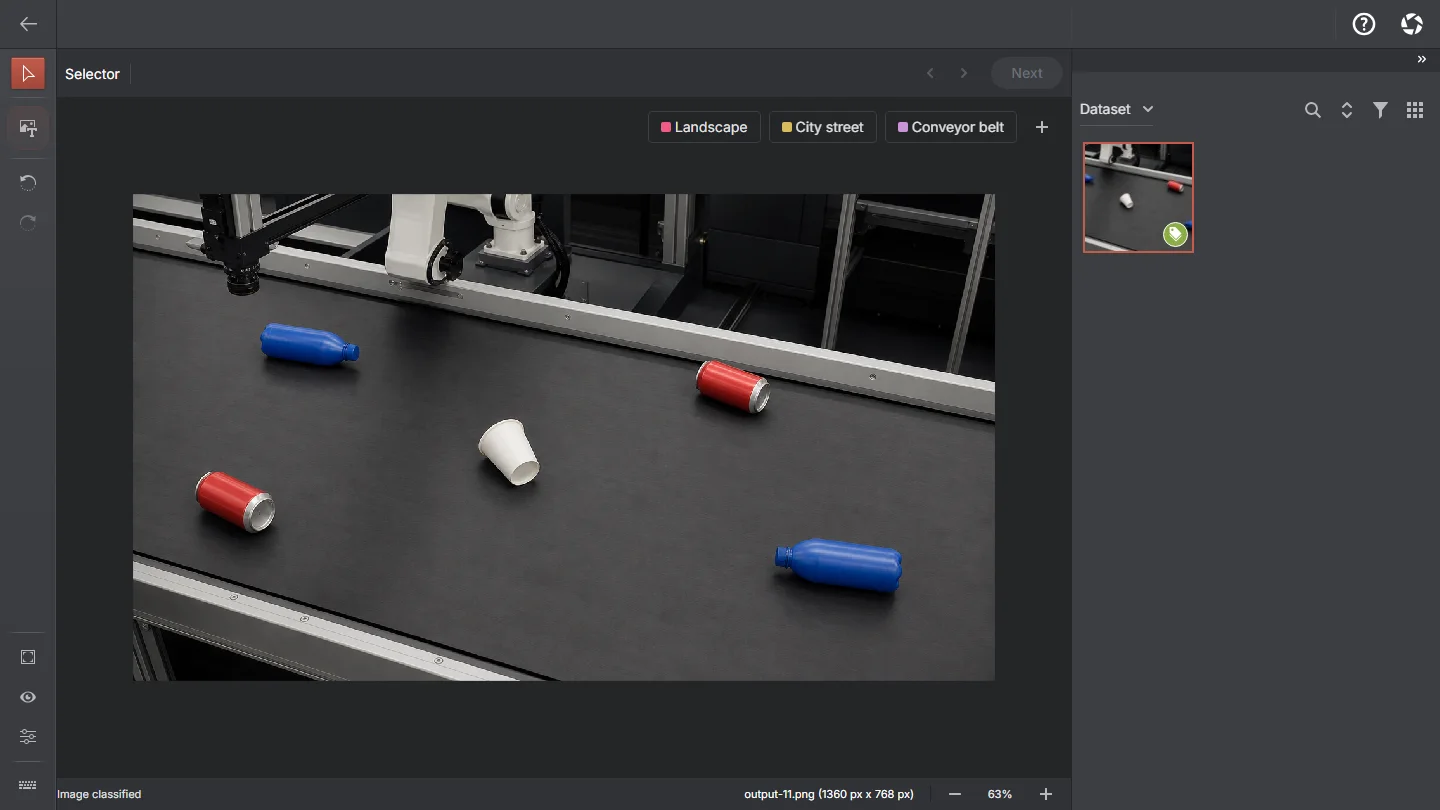
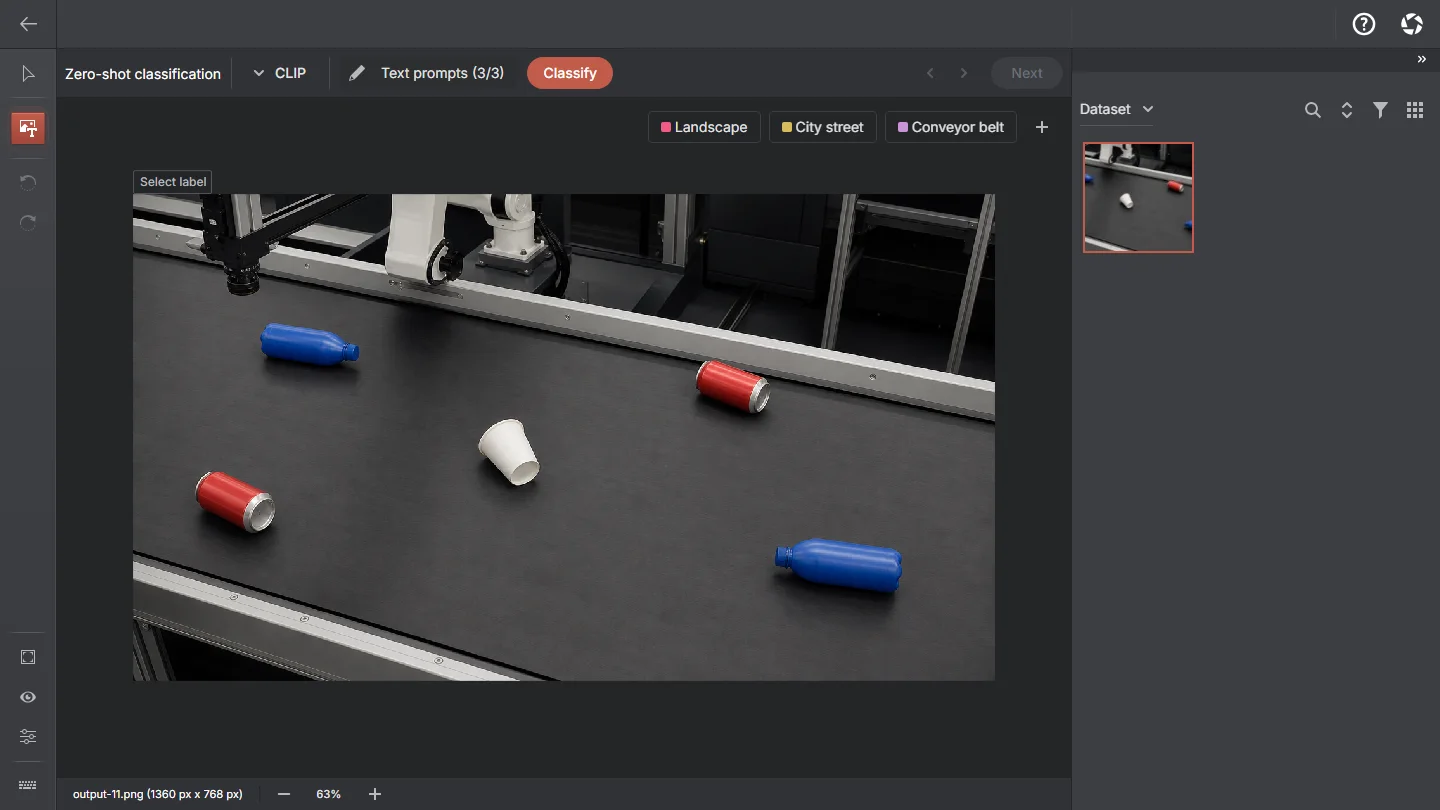
Zero-shot classification+
Classify without training, using an engine you never had to fine-tune. CLIP is built in; SigLIP 2 is the stronger, multilingual upgrade.
CLIPBuilt-in
SigLIP 2On-demand download
Pose assistance+
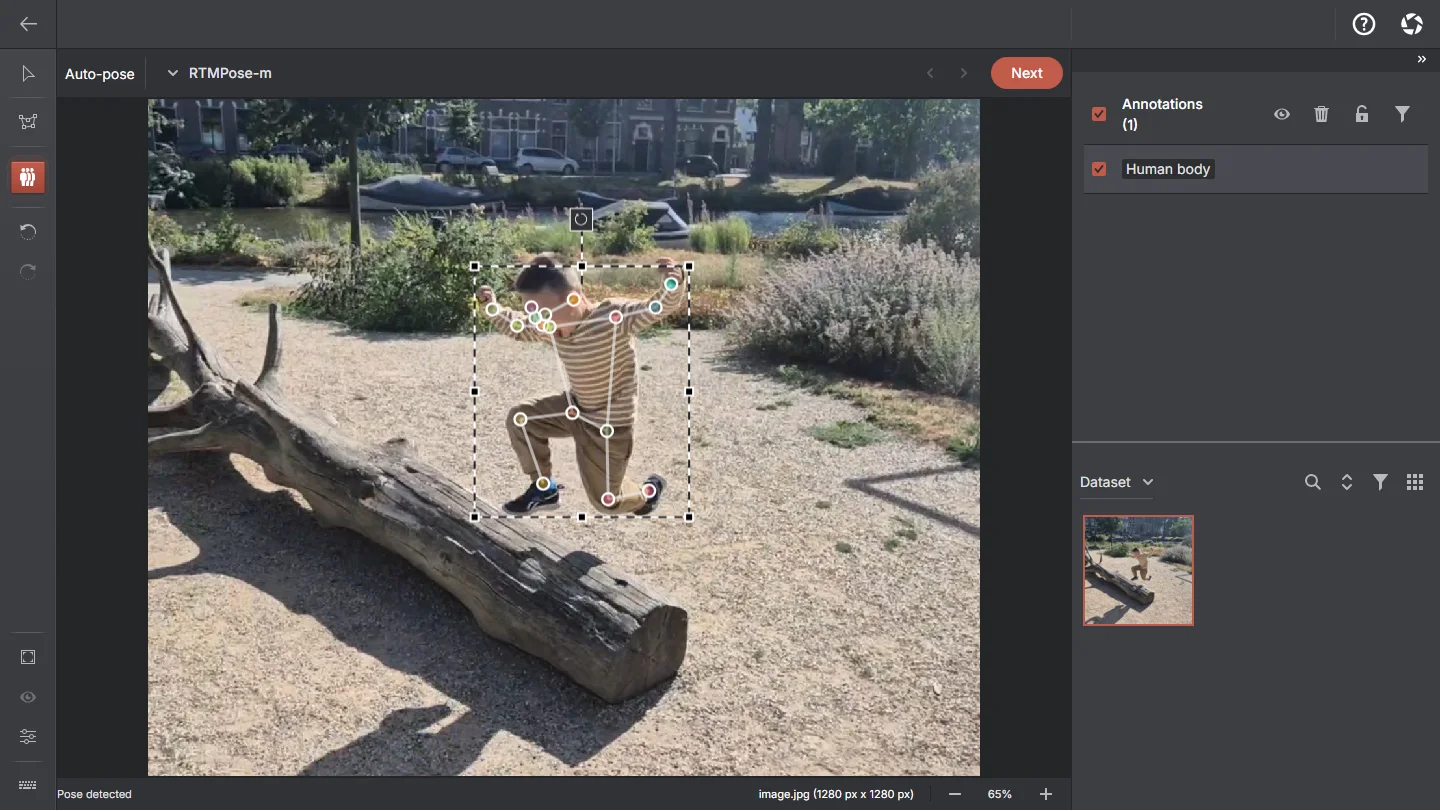
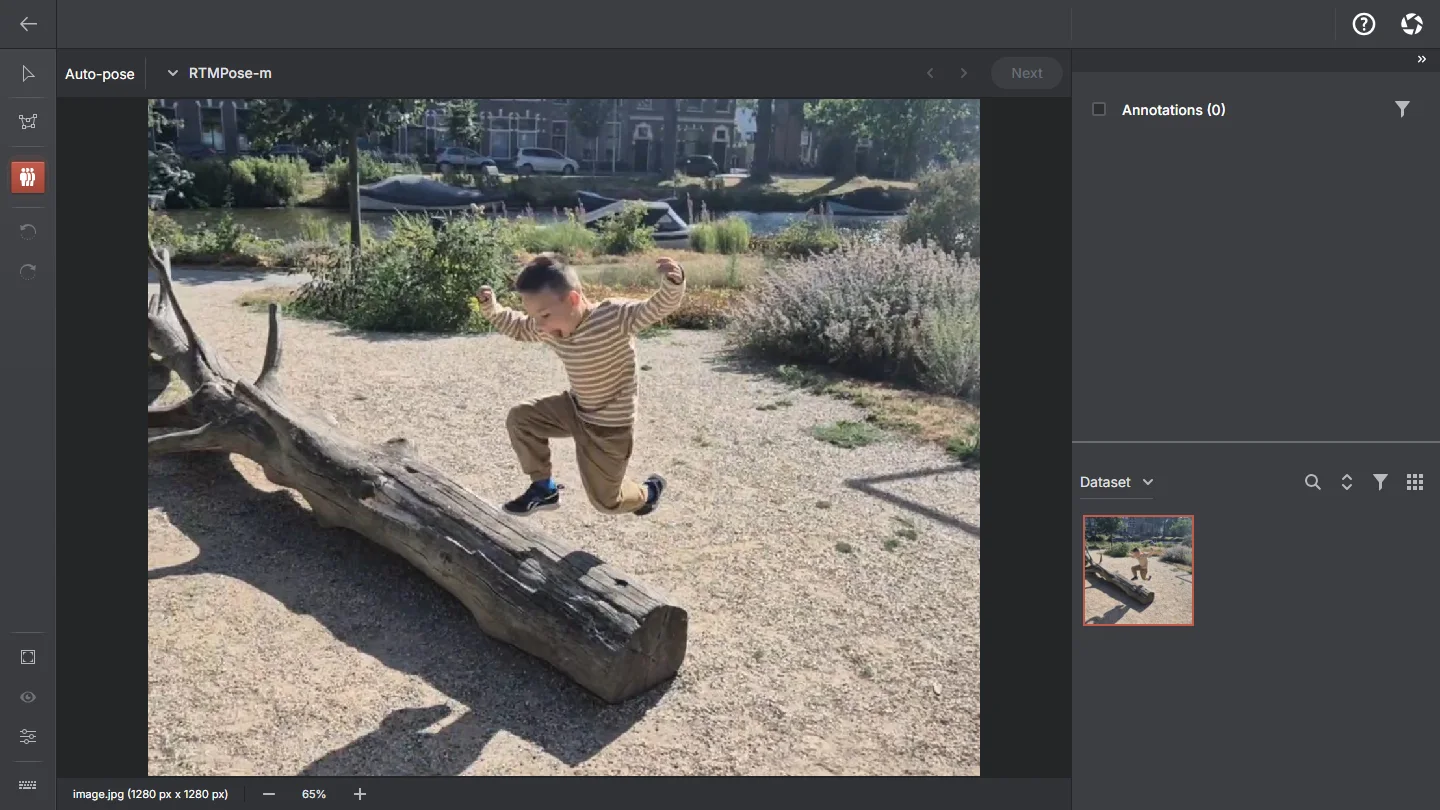
Draw a person box and get 17 COCO keypoints placed onto your skeleton template — several people per image, each its own skeleton.
RTMPose-mOn-demand download
RTMPose-lOn-demand download
RTMPose-xOn-demand download
Detection assistant+
Box one example and every region of the same image that looks like it comes back as a proposal. A similarity routine, not a model — nothing to download, and it works on a picture full of repeats.
No model neededBuilt-in
Find by example+
A prediction source rather than a tool: it takes the objects you have already annotated as references and looks for similar ones, running on whichever segmentation engine is active.
Active SAM engineBuilt-in
Auto-annotation models+
Ready-to-use object detectors and instance segmenters, all trained on the 80 COCO classes. Download one from the Models page and set it up in a project — match labels, test on one of your own images, save — with the checkpoint verified on your device first. Every one runs locally on your CPU.
D-FINEOn-demand download
RT-DETROn-demand download
RT-DETRv2On-demand download
DEIMOn-demand download
RF-DETROn-demand download
EdgeCrafter ECDetOn-demand download
EdgeCrafter ECSegOn-demand download
RF-DETR SegOn-demand download
Your own ONNX models+
Import your own model through a guided wizard — inspect, map labels, test, save. Supports YOLOv8 detection, segmentation and pose, RT-DETR, DETR, RF-DETR-style and EdgeCrafter-style segmenters, and image classifiers; unsupported output shapes are rejected. Experimental.
Custom ONNXYour file
Engine availability depends on platform and hardware. CPU/WASM is the baseline, while SAM 2.1 Large, SAM 3 Tracker and Grounding DINO require the app’s WebGPU capability. Mobile omits downloadable engines. Windows, macOS and compatible desktop browsers offer those three engines with a working WebGPU adapter. Models marks incompatible choices as unavailable and still shows their licence, size, speed and accuracy.
Every screenshot below is the shipping application.
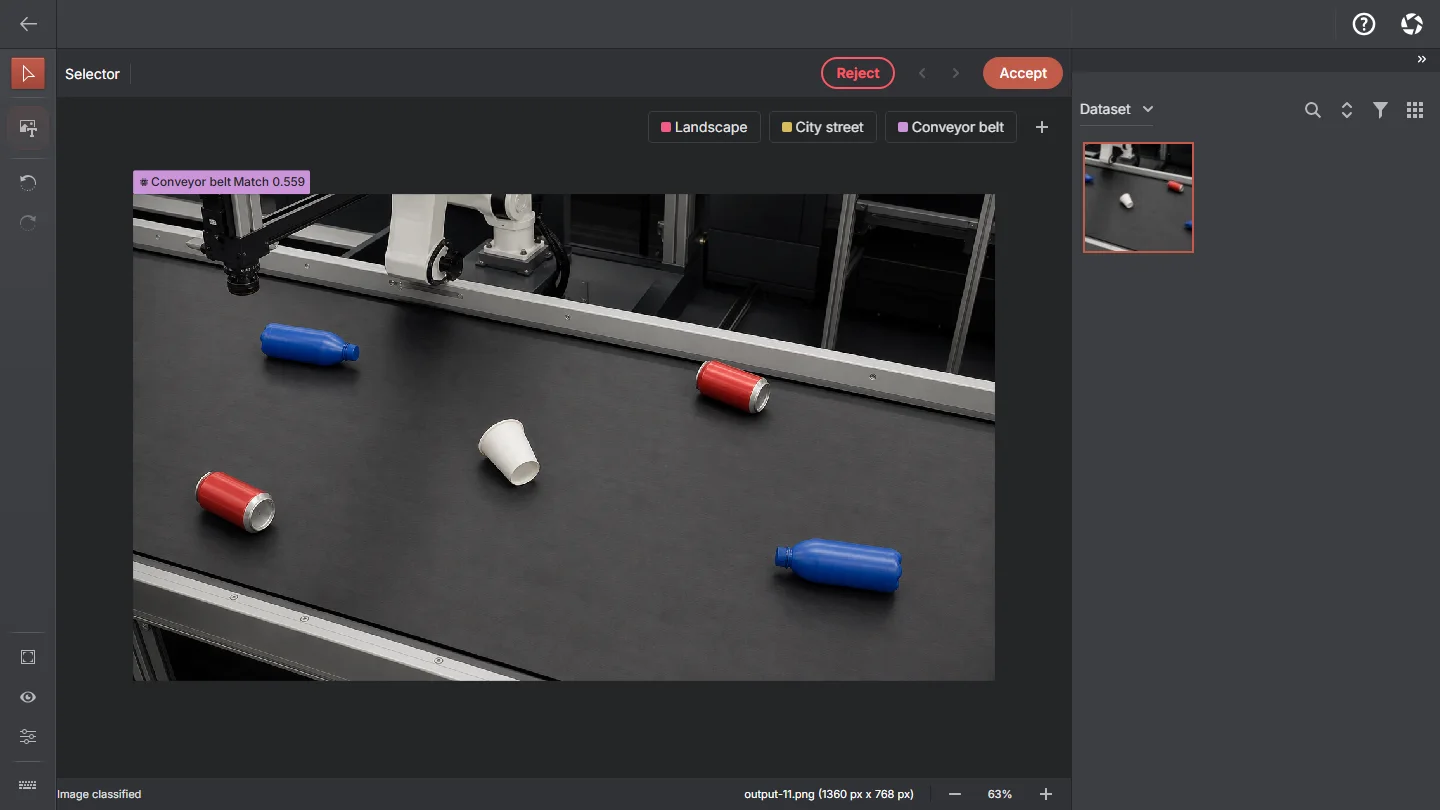
One-click segmentationSegment Anything turns a click into an editable polygon by default. Choose Mask when you need the model’s exact pixels and brush editing.
Find objects by textDescribe labels once, then run the exact active SAM + CLIP/SigLIP 2 pair shown in the toolbar — or Grounding DINO for direct boxes in detection projects.
Models, managed locallyEvery engine with its licence, size and runtime. Download it, switch to it, remove it — storage usage included.
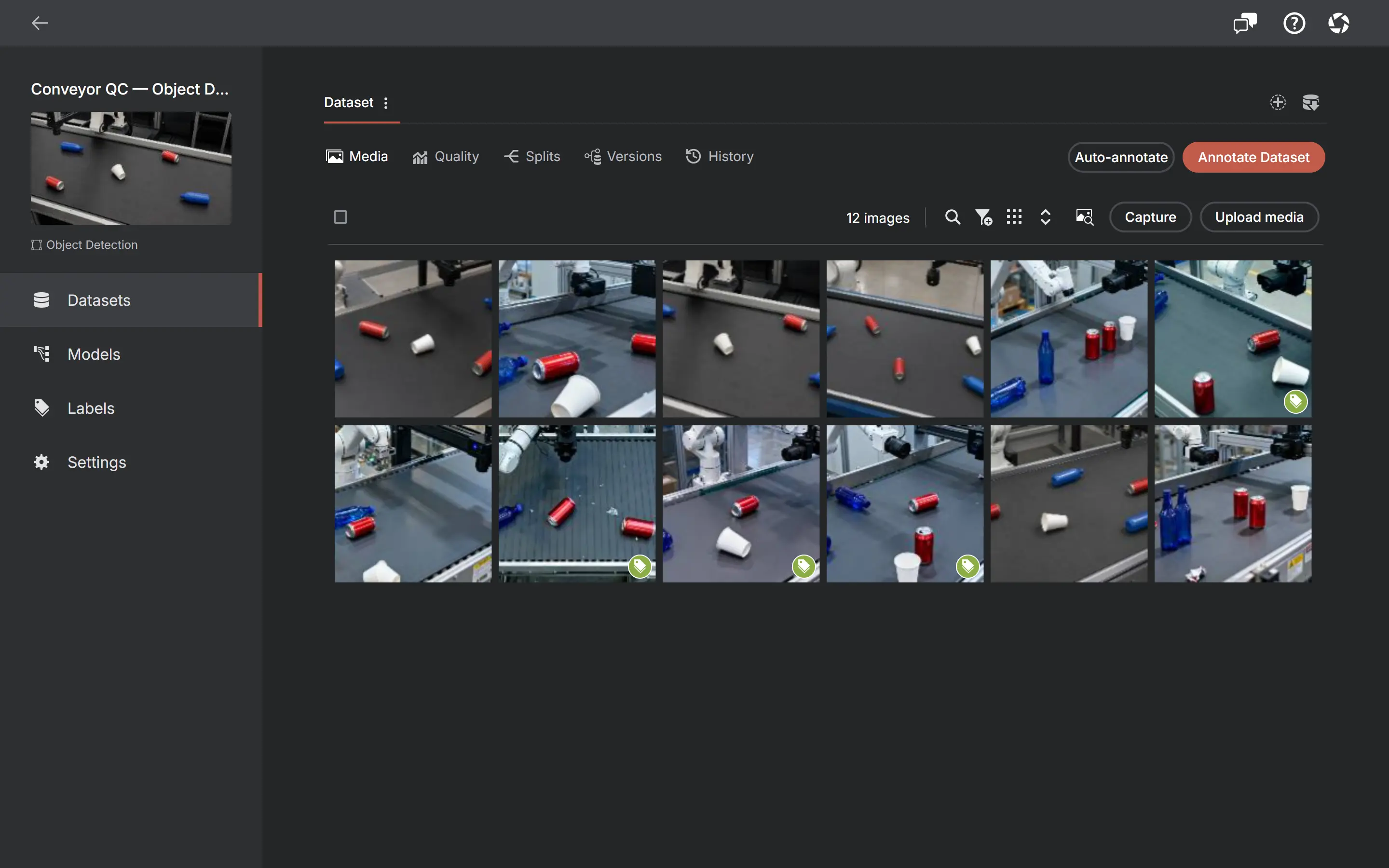
Your dataset at a glanceBrowse media, track annotation status and jump straight into the annotator.
Find images by what is in themDescribe what you need, see the ranked matches — then turn the same query into a batch pre-labelling run.
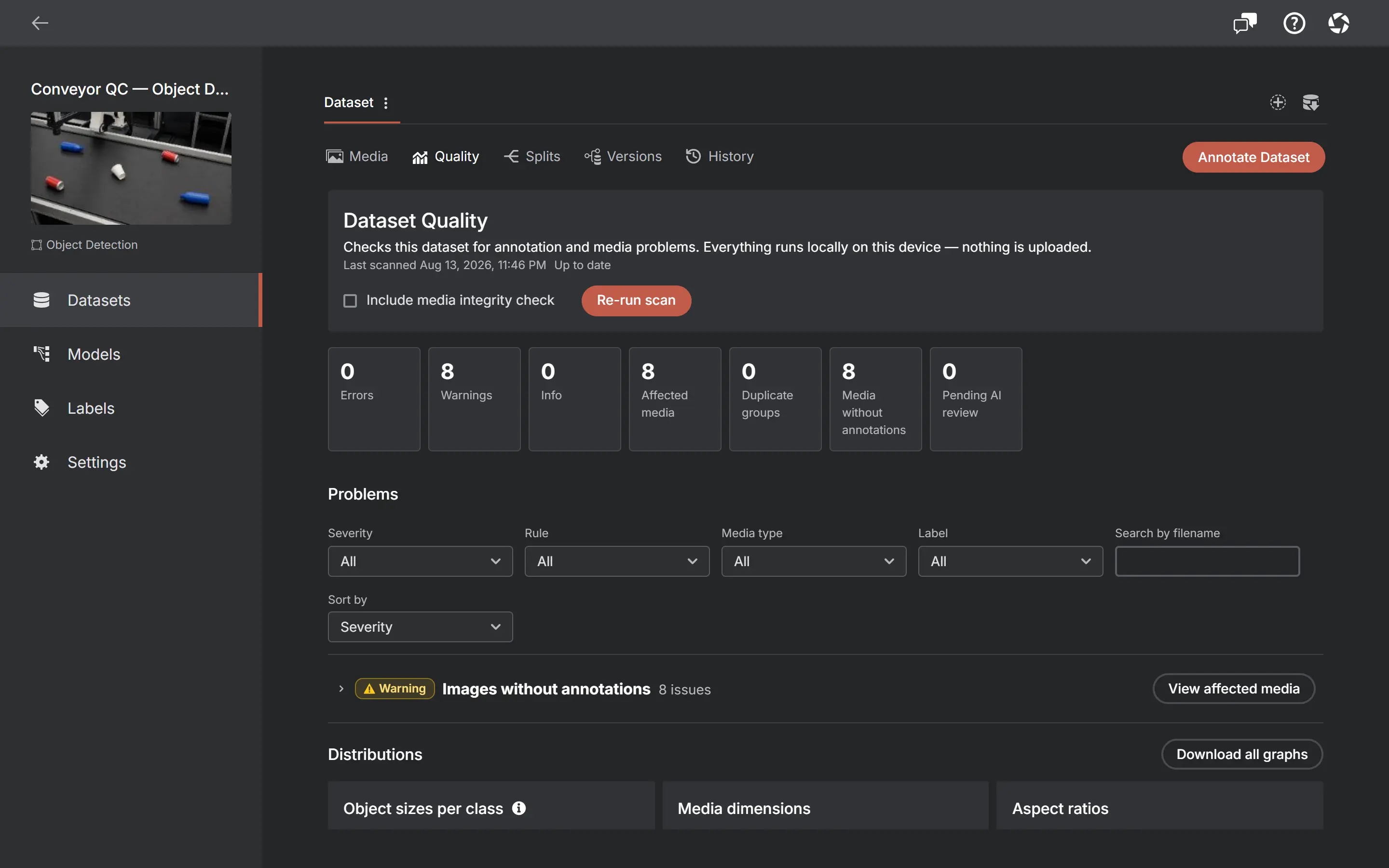
Know what is wrong before you trainA local scan for unannotated media, broken shapes, duplicates, class imbalance and more.
Video tutorials
See the workflow before you try it
Draw your first annotations, let an on-device model find the labels and annotate a whole dataset, then turn raw footage into a split, deduplicated one.
Versioning, quality checks, review queues, combined exports, splits and an audit trail — running against a local database on your own machine, with no infrastructure and no tier gate.
Local model evaluation+
Score an available engine on reviewed test images. Inspect task-specific and per-label metrics, with the exact benchmark scope saved alongside each result.
Source history+
Keep source, session, capture reason and available recording timestamps with collected images. Filter the dataset by how its media was collected.
Dataset versions+
Freeze a dataset — media, annotations, tracks, labels, attributes and the split — as an immutable snapshot. Compare two versions, download one as a dataset, or restore it. Free on every tier.
Quality checks+
Scan for unannotated media, broken or out-of-bounds shapes, label problems, missing required attributes, exact duplicates, odd image dimensions, unreadable media, suspiciously tiny objects, class imbalance and thin video coverage — before you export.
Train / validation / test splits+
Deterministic, seeded, optionally stratified splits with manual overrides and locks. Exports lay out the native split structure per format and carry a manifest so the exact split can be restored.
Search that understands the picture+
Filter by source, capture reason, name, type, size, dimensions or date — or search semantically for image content, with a match heatmap.
Activity history+
An append-only record of what happened and when: media imported, edited or deleted, annotation batches, label changes, dataset copies, splits applied, versions created and restored.
Built-in image editor+
Crop, resize, rotate, flip, adjust colour, and redact image regions with blur, pixelation or a solid fill — opened straight from the dataset.
Copy a dataset+
Duplicate a dataset with or without its annotations — a cancellable operation that rolls back cleanly and records itself in the history.
Pending AI review+
A batch shows the current image, actual inference stage and elapsed times while it runs, then reports duration, average inference time, saved annotations, empty results and failures. Drafts stay isolated from ground truth until you review them in the gallery or annotator.
Portable label schemas+
Export labels as a small AnnotateIt JSON file — colours, shortcuts, prompts, attributes and hierarchy included — then import them into a compatible project. Match existing labels to preserve their IDs and annotations, or create new ones without overwriting the current schema.
Export datasets together+
Merge selected image datasets into one archive, preserving their splits, recombining them safely or writing a flat dataset. Byte-identical images never leak across train and test.
Project conversion previews+
Change a project type only after a calculated preview shows the regions created, annotations dropped and labels re-scoped — then export the original first if the conversion is lossy.
Backup that is actually yours+
Export one project as a portable archive, or back up your entire local profile — every project, all media and the models you downloaded — to a single file you keep.
Local-first means the device holds the only copy. Versions and history are a working record, not a backup — the archive is what protects you from losing the machine. How multiple datasets and combined export work
Interoperability
Standard dataset formats in and out
Move annotations between AnnotateIt and your training stack with standard dataset formats.
Availability depends on project type and dataset contents — Supervisely Video, MOT and MOTS, for example, apply only when a dataset contains video, and KITTI is offered for image detection.
Compare annotation workflows and setup across six tools. Explore the detailed CVAT comparison for camera capture, semantic search, ChatGPT, local models, dataset versions and evaluation, alongside CVAT team tools and integrations.
Native desktop build with bundled default engines, CPU/fallback downloadable models and the local REST API. WebGPU-gated models are available when WebView2 exposes a working adapter.
Native build for Apple silicon Macs with the full annotation workflow, local REST API, custom ONNX import and semantic search. WebGPU-gated engines are available when WKWebView exposes a working adapter.
Can I collect from a camera, screen or video file?
Yes. Capture supports cameras, screen sharing where the platform exposes it, playable local video files and, in the desktop app, RTSP/HTTP network cameras. Choose manual, timelapse, motion or available Smart rules and inspect the staged results before Accept. Watched-folder ingestion is not implemented.
Can I evaluate or fine-tune a model?
Evaluate an available prediction engine locally on reviewed test images, with task-specific metrics and saved benchmark scope. Fine-tuning is a separate experimental desktop integration with a prepared TAO RT-DETR runner. ML jobs send the selected dataset to that runner; the hosted web app cannot connect through the current transport policy.
Does my data leave my device?
Local annotation stores datasets on your device and runs smart tools there. Optional AI Assistant sends chat context and the attached image/frame, labels and annotation context to the selected provider (OpenAI or Anthropic) through your chosen connection. Starting an optional ML job sends the selected dataset bundle to your configured runner, which may be on your machine or remote.
Do I need an account?
No. There is nothing to sign up for — open the app and create a project.
Does the web version work offline?
Once the app and the models you use are cached, annotation work runs locally. The native desktop builds are the best choice for fully offline sessions.
What is the difference between web and native?
The same product. Native builds bundle the default AI engines, work offline and get store-managed updates; the web version downloads engines on demand and is the fastest way to try AnnotateIt.
Which annotation tasks are supported?
Object detection, instance segmentation, keypoint detection, and single-label, multi-label and hierarchical classification — for images and video frames.
Which shapes can I draw?
Bounding boxes, circles, polygons, open polylines, pixel masks and skeletons, depending on the project. The rotated-box tool requires an existing rotated-detection project; the current Create project UI does not offer that subtype. Polygons and polylines rotate with a handle. Segment Anything creates an editable polygon by default; choose Mask output for exact pixels.
Which image files can I import?
JPG/JPEG/JFIF, PNG, BMP, WebP, TIF/TIFF, HEIC/HEIF, AVIF and GIF. TIFF uses its first page, HEIF its first still, and GIF/AVIF their first frame; AVIF needs a compatible browser or WebView decoder. Previews are 8-bit, while untouched original files remain available for download and export.
Which video files can I import?
CFR or VFR MP4, MOV, M4V and WebM with readable timing and supported platform codecs. AVI/MKV frame extraction requires the native desktop decoder; playback can be unavailable. Variable-frame-rate video is supported with average FPS and exact frame indices; imported bytes and timing stay unchanged.
Are my original images converted on export?
No. Untouched original image bytes are preserved in downloads, dataset exports and project backups; export does not replace the stored originals. Archive filenames can follow format or collision rules. An explicit image edit/save is different: TIFF, HEIC/HEIF, AVIF, GIF and BMP become an edited PNG with a matching extension and MIME type.
Which dataset formats can I import and export?
Export supports COCO, YOLO, Pascal VOC, Datumaro, Supervisely Video, MOT Challenge, KITTI, MOTS and Plain ZIP (media only), depending on project type and whether the dataset contains video; import auto-detects COCO, YOLO, Pascal VOC and Datumaro archives.
Can I version, review and split a dataset?
Yes, and all of it is free on every tier. Dataset versions are immutable snapshots you can diff, download and restore; the Quality tab scans for unannotated media, broken shapes, duplicates, class imbalance and more; deterministic train/validation/test splits export in each format’s native layout; and an append-only activity history records what happened to the dataset.
Can I find images by what is in them?
Yes. Semantic search indexes your dataset on your device once, then ranks images against a plain-language query and shows a heatmap of where the match came from. The same query can be turned into a batch run that pre-labels every match for review.
Can I annotate with ChatGPT, and what data does it receive?
AI Assistant generates editable boxes, segmentation polygons and image classifications, and can create, update or delete project labels with confirmation. Review annotations with the usual Accept / Reject controls. Use OpenAI API or Claude API on web/desktop, or ChatGPT via Codex or Claude Code on Windows/macOS. It is unavailable on native iOS/Android. Sending a message with the current image attached shares its preview, labels and annotation context with the selected provider (OpenAI or Anthropic); no whole video is sent.
Does AnnotateIt include ready-to-use AI models?
Yes. Alongside the built-in tools, a curated set of auto-annotation models — the D-FINE, RT-DETR, RT-DETRv2, DEIM and RF-DETR detectors plus EdgeCrafter ECDet, with EdgeCrafter ECSeg and RF-DETR Seg for instance segmentation — downloads from the Models page and sets up inside a project: map its classes to your labels, test on one of your images, save. All are trained on the 80 COCO classes, verified on your device before they save, and run locally on your CPU. No weights to supply and no training — that is what separates them from importing your own model.
Can I use my own ONNX model?
Yes — an experimental five-step wizard, opened inside a project, imports YOLOv8 detection, segmentation and pose models, RT-DETR, DETR and plain image classifiers (up to 512 MB). It inspects the file, maps its classes to your labels and requires a successful test run before saving. Other output shapes are rejected — it is not "any ONNX".
Does AnnotateIt train models?
The experimental desktop Pipelines integration can submit a frozen image-detection dataset to a separate TAO RT-DETR runner for fine-tuning and inference. It needs a prepared runner environment. The hosted web app does not train models; standard exports work with your own training stack.
Is it free?
Yes. Unlimited projects are included in Free on web, Windows, macOS, iPhone and iPad, together with the annotation workflow, the AI tools supported by that device and import/export.
YV
Built by an experienced computer vision engineer
A focused tool, built from practical experience
AnnotateIt AI was created by Yuriy Volokitin, drawing on more than 15 years of software engineering experience and hands-on work with computer vision, annotation and dataset-management products, including engineering leadership associated with Intel Geti.
AnnotateIt is designed around the workflow its creator wanted for practical dataset work: local processing, direct control of media and annotations, useful AI assistance, established export formats, and no mandatory account or cloud service.
Actively developed
What shipped, and what is planned
Latest documented web release6.16.12
Releases are written up here on the site — what changed, in which version, on what date. What is planned next, and what has been ruled out on purpose, is public too.
Open AnnotateIt in your browser
Create your first local project in the browser. Optional ChatGPT or Claude annotation needs your own AI connection.