Semantic search and batch pre-labelling
On web and desktop, Semantic search ranks still images against a plain-language description instead of matching file names. Its local index powers ranked matches, a coarse heatmap and a reviewed batch pre-labelling run. Nothing is uploaded. iPhone and iPad do not expose this feature.
The problem it solves
The sort and filter menus work on a file’s own properties — name, type, size, dimensions, upload date. None of that helps when the question is "which of these four thousand frames actually has a forklift in it". Semantic search answers that question directly, which matters most at the start of a project, when nothing is labelled yet and there is no model of yours to help.
Preparing the index
The first search asks you to prepare the dataset. Each image is encoded once, on your device, and the resulting vector is stored locally. A progress bar runs while it works; you can cancel and resume later, and the dialog always shows how many images are ready to search.
- The default is to index only the images that have no annotations yet — those are the ones you still need to find — and you can index everything instead.
- Vectors are saved as it goes, so a cancelled or interrupted run loses very little work.
- Run Prepare again after adding media: only prepared images can be found.
- Videos and their frames are not indexed.
- Switching the zero-shot engine invalidates the index rather than silently ranking against it — CLIP and SigLIP 2 vectors are not comparable, and pretending otherwise would return confident nonsense.
Searching
Type what you are looking for and the dataset is ranked, best first, with a match percentage on each result. Open a result and you get a larger preview with a coarse heatmap over it, showing which regions of the image drove the match — the difference between trusting a number and seeing why it is high. The heatmap needs dozens of extra encodes per image, so it is a desktop and web feature; mobile gets the ranked list without it.
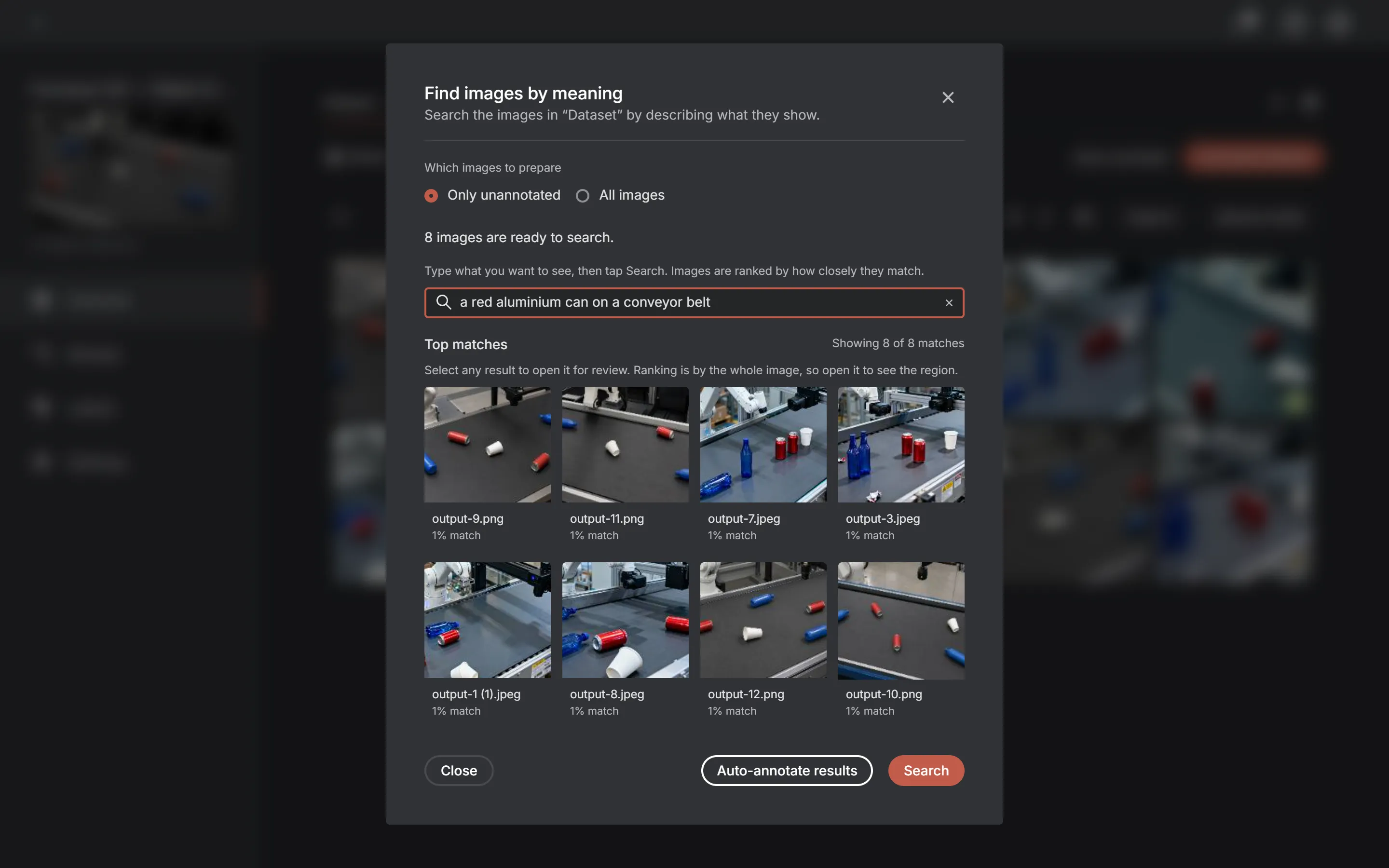
Descriptions behave like the text prompts on labels: concrete and visual works, abstract does not. "A dark scratch on a metal surface" is a query; "the important defects" is not, because none of that is in the pixels.
Turning a query into annotations
Once the results look right, pick one of your project’s labels and start a batch run. Every matching image is processed one at a time and left with a proposed annotation, of the kind your project type needs:
| Project type | What the run produces |
|---|---|
| Classification | The chosen label applied to the whole image |
| Object detection | A bounding box around the match |
| Instance segmentation | A polygon around the match |
| Keypoint detection | Not supported — a skeleton is not something a text query can place |
The results are proposals, not decisions. They arrive as an unreviewed draft: the Quality tab counts them separately from real annotations and never reports a drafted image as annotated, and the annotator asks you to confirm them. Your own work is never overwritten — eligibility is re-checked against what is actually saved immediately before each write, not against a snapshot from when the run started.
- Images are processed one at a time. Segmentation inference is heavy, and running them in parallel would exhaust memory on the smaller platforms this app also ships to.
- One image failing is that image’s failure: it is recorded and the run continues.
- A run can be interrupted and resumed — it remembers which images are left, and stores only identifiers, never image bytes.
- A run is refused up front, with the reason, when the search returned nothing, the project has no labels, the project type is unsupported, another run is already going, or the search spans more than one dataset.
Where it runs
Desktop and web. Indexing runs an image encoder over every item in the dataset and keeps the results live, which makes it both the slowest and the most memory-hungry thing the app can do — so it is not offered on iPhone and iPad, where the WebView memory ceiling would end the session rather than the run.
The engine is whichever zero-shot engine is active: CLIP is the default — bundled with the native builds, fetched once and cached by the web app — and SigLIP 2 can be selected on the Models page for stronger, multilingual matching at the cost of a much larger file.