Can you pre-label a computer vision dataset locally without sending a single image to the cloud?
I started this experiment for a simple reason: I wanted to know whether running an object detector locally would actually make annotation faster.
The experiment
Getting an ONNX model to draw boxes in a browser was only the first step. What I cared about was what happened after that. Would reviewing those boxes take less time than drawing everything by hand? Would the larger model save enough corrections to justify the extra wait? And what happens when the images no longer look much like COCO?
I decided to test four compact EdgeCrafter models: ECDet-S and ECDet-M for object detection, and ECSeg-S and ECSeg-M for instance segmentation. The S variants are smaller. The M variants are heavier and have better upstream accuracy. The interesting question is whether that difference is useful during annotation, where every prediction still has to be reviewed by a person.
To test a complete workflow rather than an isolated Python script, I converted the checkpoints to ONNX and integrated them into AnnotateIt. Inside the app, each model output arrives as an editable annotation proposal that the reviewer can accept, fix or discard. These are independent, unofficial conversions and are not endorsed by the EdgeCrafter authors. The upstream project and checkpoints use Apache-2.0; every converted repository retains the attribution and documents the export.
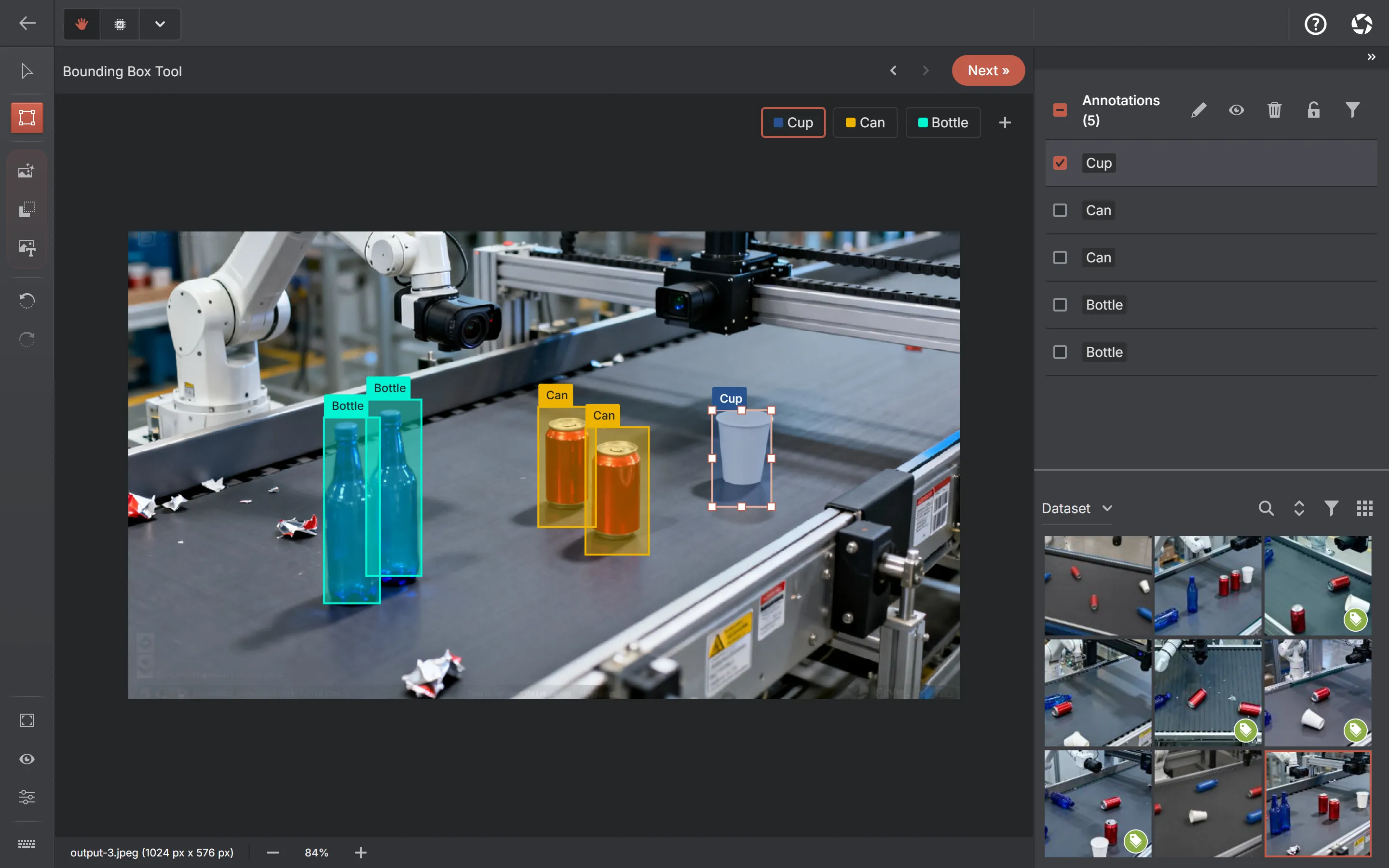
Sources: EdgeCrafter repositoryEdgeCrafter paper
The real use case
Imagine a company has several thousand frames from cameras around a warehouse, loading area or parking facility. The images contain people, cars, trucks, bicycles and other objects that need to be annotated before a domain-specific model can be trained. The footage may also contain identifiable people, private property or commercially sensitive operations.
Manual workflow
Every image starts empty.
- Open an image
- Draw every object
- Assign labels
- Move to the next image
Assisted workflow
The model supplies a first draft.
- Open an image
- Run the local model
- Review and fix proposals
- Move to the next image
Auto-annotation is often judged by an unrealistic standard: every prediction must be accepted untouched. Dataset work is more forgiving. A false positive can be deleted, a box can be adjusted and a missed object can be added. What matters is how much work remains for the reviewer after the first draft.
What exactly runs on the machine?
Hugging Face
Versioned ONNX model
Local browser
Size and SHA-256 verified
CPU / WASM
Inference on the device
Predictions
Boxes or masks
Human review
Accept, edit or reject
Dataset
Editable annotations
All four models use a 640 × 640 RGB input with ImageNet normalization. The current integration uses the CPU/WASM execution provider. WebGPU fails for these graphs in ONNX Runtime Web 1.24.3, which turned out to be a useful reminder: a model that exports is not necessarily a model that survives its intended runtime.
A model file is still not a usable workflow
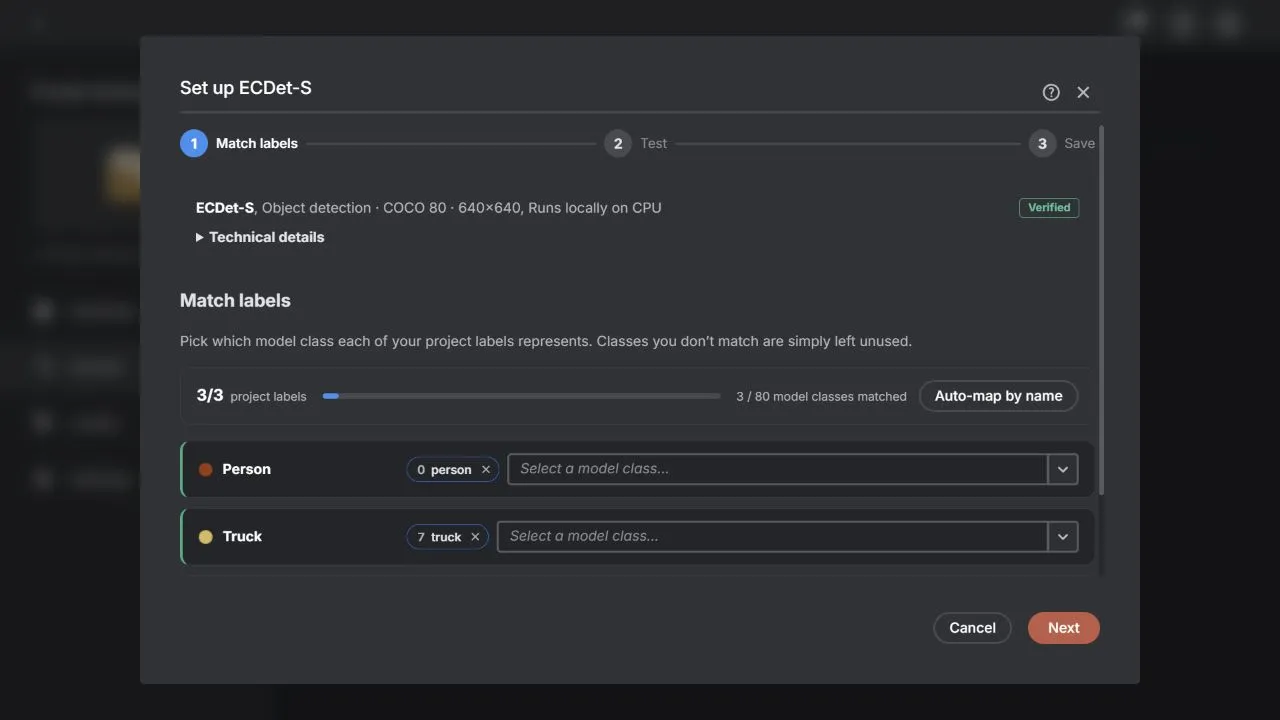
For these curated releases, the application already knows the input size, normalisation, colour order, tensor names, output layout and class list. Asking an annotator to choose an architecture, type 640, enter 80 classes and interpret tensors called pred_logits or pred_boxes would not make the product flexible. It would transfer the application developer’s responsibility to the user.
- Download a verified model.
- Match its COCO classes to the labels in the project.
- Test it on a real project image — keeping the result is what saves the model as the project’s prediction source. Nothing is saved before a successful test, so a mis-mapped model cannot quietly poison a dataset.
Once a model is set up, it scales past one image at a time. Auto-annotate in the dataset toolbar runs it over the whole dataset, a selection, the current filter or semantic-search results — and everything it produces lands as a Pending AI Review draft, stamped with the model that made it and held out of exports, dataset versions and statistics until a person accepts it. A persistent Review button sits in the toolbar until the queue is empty.

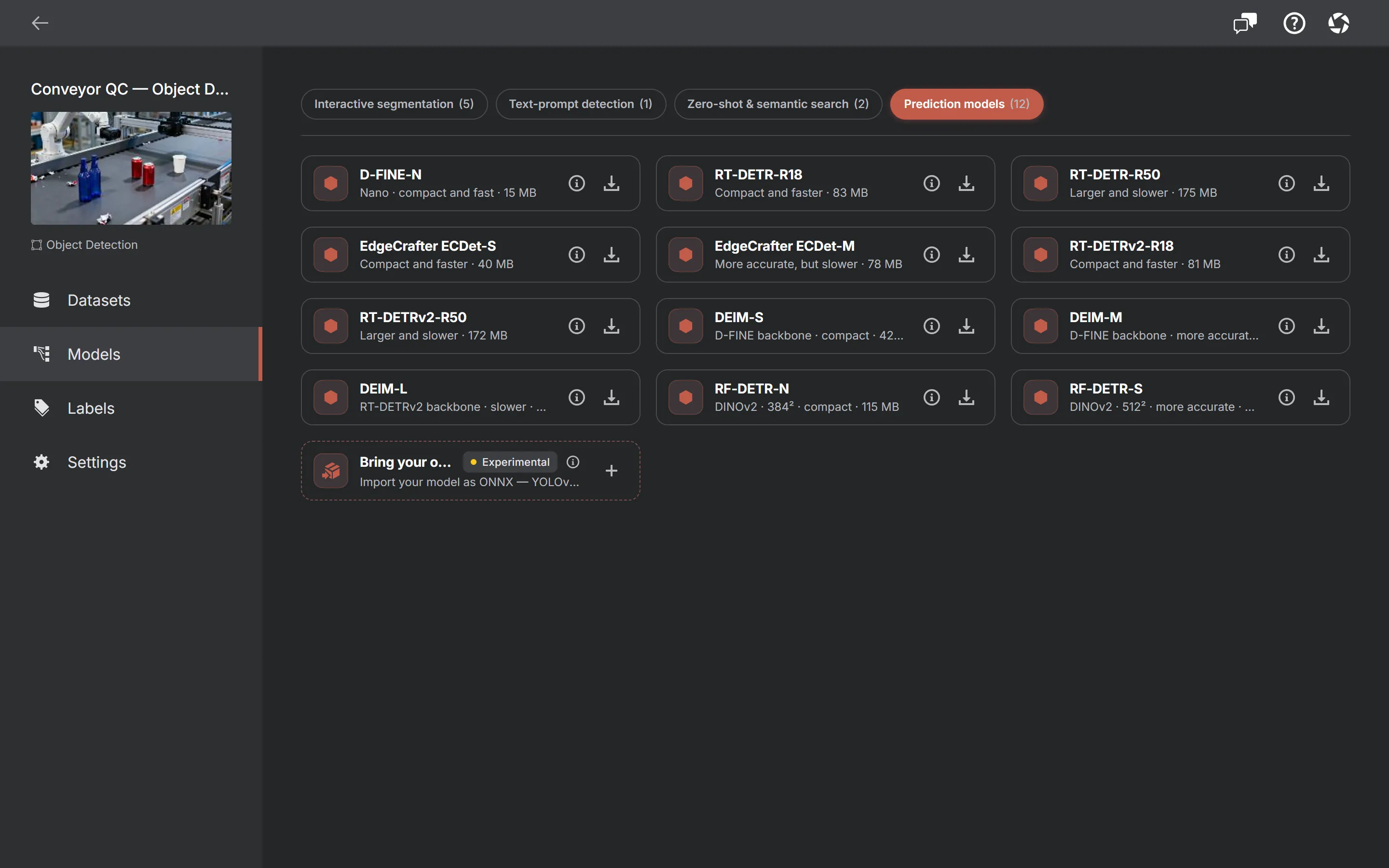
Internally, the models share infrastructure with imported ONNX files. In the interface, they are Auto-annotation models. A curated, revision-pinned model with a known contract is not the same product concept as a file someone imported and configured independently.
EdgeCrafter ECDet and ECSeg are two of a larger curated Auto-annotation lineup — 8 families and 24 released variants in all, adding the D-FINE, RT-DETR, RT-DETRv2, DEIM and RF-DETR detectors and the RF-DETR Seg instance segmenter — and both ECDet and ECSeg now offer L and X variants beyond the S/M pairs measured below. Every family is Apache-2.0, predicts the eighty COCO classes and runs locally on the CPU, and every one uses the same download → match labels → test setup and the same pending-review workflow. This article stays with the four EdgeCrafter checkpoints it actually measured.
What I could actually reproduce
The official model zoo reports strong COCO results, but copying those figures into a new model card would not prove that the ONNX conversion preserved them. I kept three evidence types separate: full-dataset evaluation, numerical parity with PyTorch and upstream-reported accuracy.
For ECDet-S and ECDet-M, I compared PyTorch and ONNX Runtime outputs on real COCO images with identical external post-processing. ECDet-S passed all seven strict numerical parity cases. ECDet-M passed six directly. In one image, two almost identical internal TopK scores changed row order; after matching the unordered rows, all 300 queries were within tolerance. Semantic detections matched one for one across the 12-image sample.
During a later quantisation study, the FP32 ECDet-S ONNX model was evaluated over the complete COCO val2017 set. It produced 51.67 box AP, effectively reproducing the upstream 51.7. I have not rerun full COCO AP for ECDet-M, so its 54.3 result stays clearly labelled as upstream-reported.
Detection
| Model | ONNX size | Box AP | Evidence |
|---|---|---|---|
| ECDet-S | 40.5 MB | 51.67 | Full local COCO val2017 ONNX evaluation; upstream reports 51.7 |
| ECDet-M | 78.2 MB | 54.3 | Upstream-reported; local PyTorch ↔ ONNX parity verified |
Both segmentation models were evaluated over the complete COCO val2017 set. Their final ONNX mask AP matched the corresponding PyTorch evaluation to two decimal places.
Instance segmentation
| Model | ONNX size | PyTorch mask AP | ONNX mask AP | ONNX box AP | Upstream mask AP |
|---|---|---|---|---|---|
| ECSeg-S | 41.9 MB | 42.84 | 42.84 | 50.29 | 43.0 |
| ECSeg-M | 80.8 MB | 45.05 | 45.05 | 52.60 | 45.2 |
Full COCO evaluation, parity testing and an upstream benchmark answer different questions. Combining them into one generic “verified” column would make the table look cleaner and the conclusion less trustworthy.
S or M: is the larger model worth waiting for?
A larger model is useful only if its additional accuracy saves more correction work than its additional inference time costs. Upstream results place ECDet-M 2.6 AP above ECDet-S and ECSeg-M 2.2 mask AP above ECSeg-S. The M files are also almost twice as large.
The latency side still needs one controlled four-model Windows run. I have one Windows browser number I trust for ECDet-S, but not equivalent interleaved measurements for the other three on that machine. Filling those cells with one-off smoke timings would create a neat graph and a poor benchmark.
My working rule is therefore to start with S for interactive use and test M on representative difficult images. The final decision should come from correction time on the actual project, not model size alone.
Benchmark accuracy is not annotation accuracy
COCO AP tells us how well a model performs on COCO. It does not tell us how annoying the model is to work with. One model may miss a small object that has to be drawn manually. Another may find it and also produce several low-value false positives that have to be deleted. A mask can score well overall and still leave a boundary that is tedious to edit for a particular application.
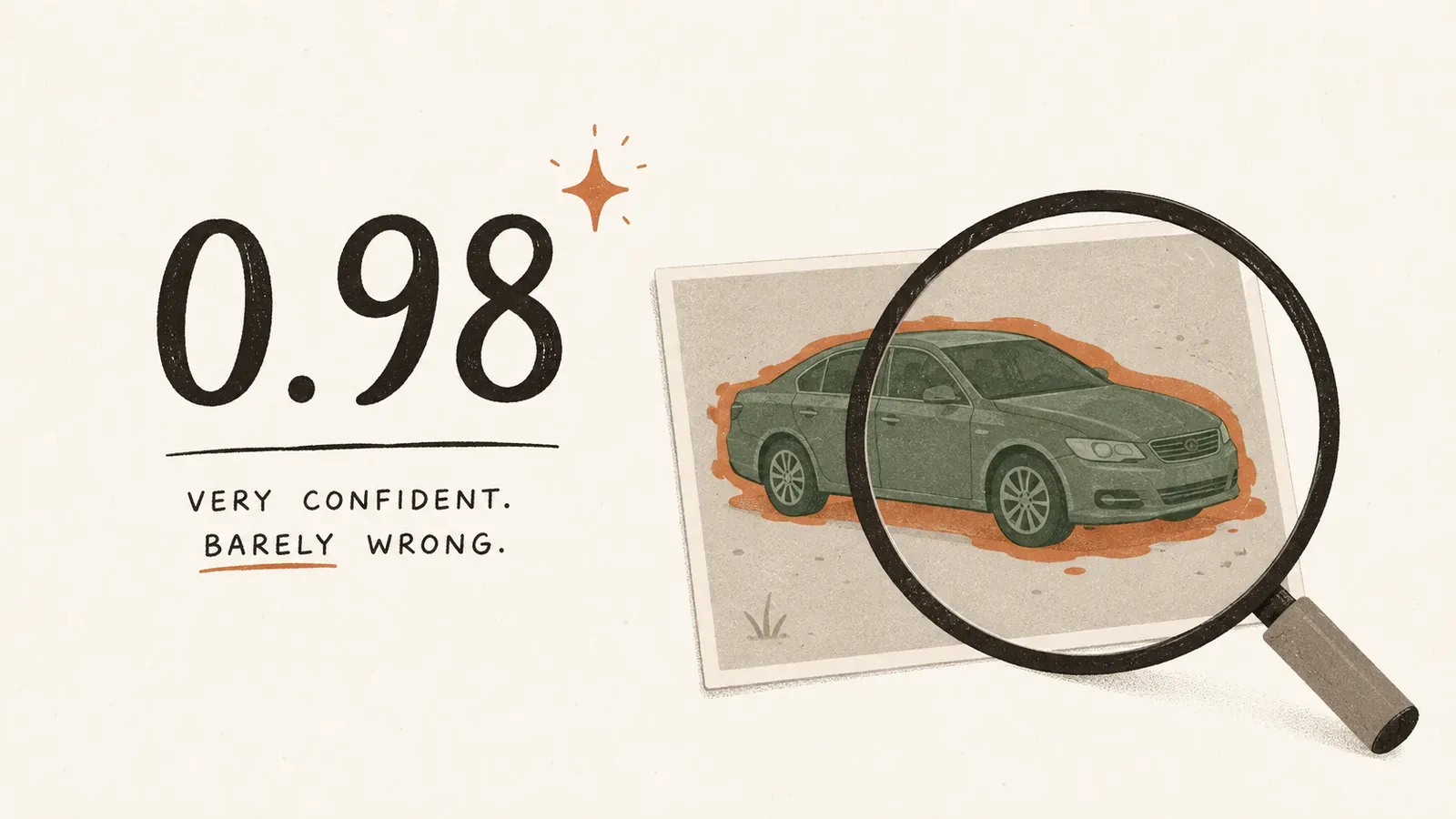
The class vocabulary creates a second problem. All four releases use the official 80 COCO classes: class 0 is person, class 1 is bicycle, class 2 is car, and so on. A project label named Car can safely match the class car after normalisation. A label named Mercedes should not be matched automatically. The relationship is plausible, but not equivalent; the model has no vehicle-brand knowledge.
The metric I actually care about: minutes of human work
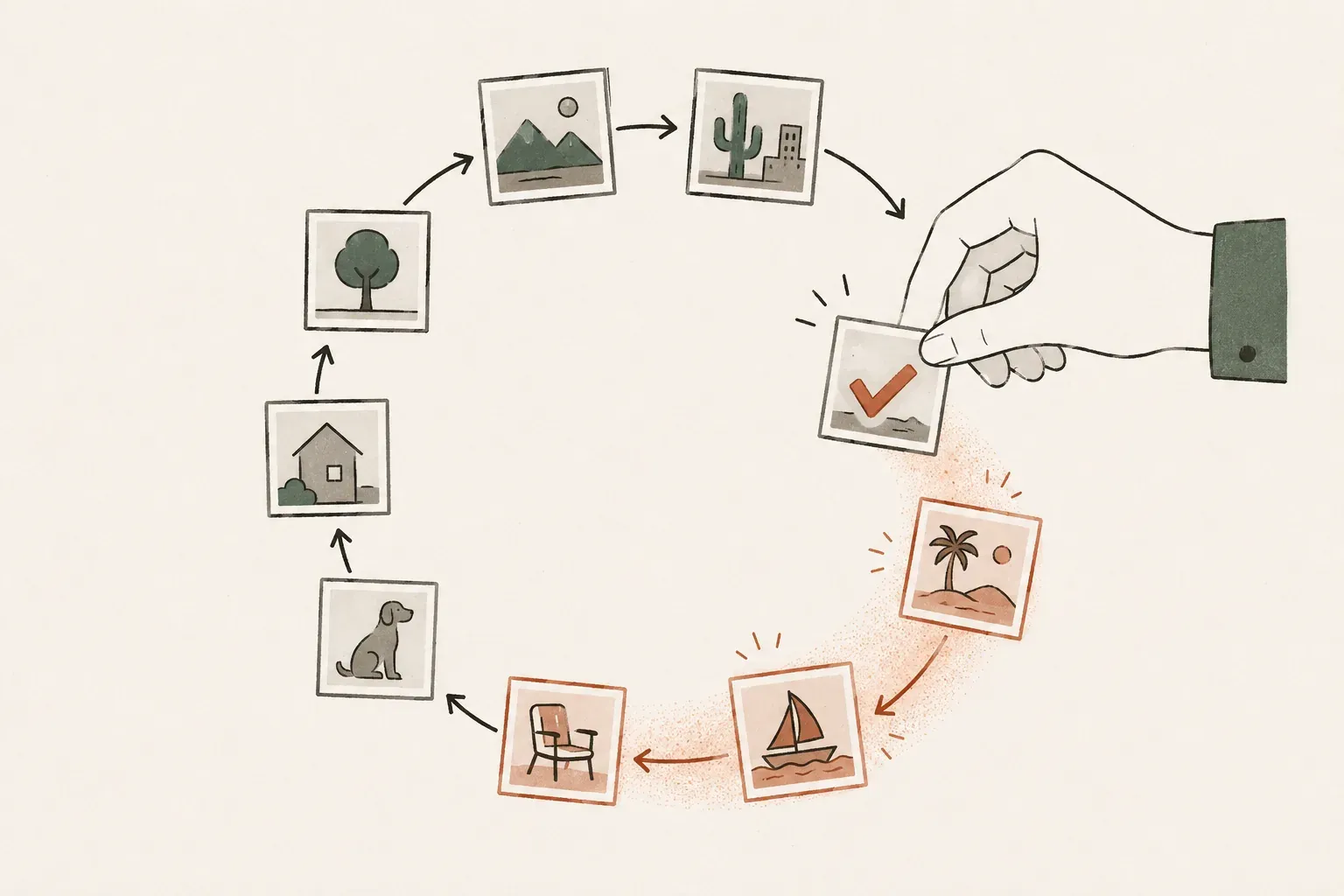
Eventually I stopped asking, “Which model has the highest AP?” and started asking, “Which model leaves me with the least work after inference?” The right experiment compares the same representative images under three conditions: completely manual annotation, S predictions followed by review, and M predictions followed by review.
- Median seconds per completed image.
- Proposals accepted without changes.
- Boxes or masks edited.
- Predictions deleted.
- Missed objects added manually.
- Final quality checked against one review standard.
The Windows browser number I trust
My first timing table looked great — until I reran the models in the opposite order. The gap moved enough that I realised I was partly benchmarking CPU boost, temperature and background activity rather than the models. Across that sequential run, the same machine drifted by as much as 25 percent.
The controlled ECDet-S comparison therefore used an interleaved A/B/A/B pool: three rounds of 20 timed inferences after warm-up, in a cross-origin-isolated Chrome page with ONNX Runtime Web 1.24.3 and WASM threading enabled. The machine was an Intel NUC 13 Extreme with a Core i9-13900K, 64 GB of RAM and Windows 11. It also contains an RTX 3090, but this path did not use it.
| Measurement | ECDet-S FP32 |
|---|---|
| Session initialisation, median | 1,364 ms |
| Warm inference, p50 | 728 ms |
| Warm inference, p95 | 880 ms |
These timings cover session.run only. A complete interaction also includes image decoding, preprocessing, post-processing, drawing and application state. At the median, the model itself completes about 1.37 runs per second, or roughly 82 per minute if inference were the only work. That does not mean a reviewer can finish 82 images per minute.
The matching ECDet-M, ECSeg-S and ECSeg-M Windows measurements will use the same harness. Apple Silicon belongs in a separate hardware section rather than a row mixed into this table.
Smaller isn’t always faster
I expected the INT8 version to win this one. Dynamic INT8 reduced ECDet-S from 40.5 MB to 15.7 MB — 61 percent smaller — so before running the browser benchmark I assumed the decision was basically made. Then the controlled results came back about 2 percent slower than FP32. Accuracy held up well at 51.42 AP, only 0.25 AP below FP32, but the speed win I had expected simply was not there.
| Candidate | Size change | COCO AP change | Browser result | Decision |
|---|---|---|---|---|
| Dynamic INT8 | −61% | −0.25 AP | ~2% slower | Experimental download only |
| Static QDQ S8S8 | −70% | −8.7 AP | No useful gain | Rejected |
| Static QDQ U8U8 | −69% | −8.9 AP | ~10% faster | Rejected |
| Mixed precision, best accuracy tier | −31% | −1.5 AP | ~5% faster | Rejected |
That is why the supported releases remain FP32. In this browser runtime, smaller integer weights did not automatically produce a better model; the available kernels matter as much as the format. Dynamic INT8 may still be useful when download size matters more than runtime, so I kept it as an experimental download instead of making it the default.
The GPU path that did not work
I also assumed WebGPU would be the obvious next step. It wasn’t. The first prediction failed before there was anything useful to benchmark. With ONNX Runtime Web 1.24.3, both detection and segmentation fail in the decoder’s integral MatMul with a shared-dimension mismatch. Supplying a WebGPU/CPU provider list did not rescue the run because the failing kernel had already been assigned to WebGPU.
The current profiles are pinned to CPU/WASM. That is less exciting than a GPU-accelerated badge, but better than a first prediction that crashes. This is a finding about the current graph and runtime combination, not a claim that EdgeCrafter can never work through WebGPU. It should be retested as ONNX Runtime Web changes.
Where I would use local pre-labeling
- COCO-like objects in reasonably clear, repetitive scenes
- A strong pre-labeling candidate
- Common people, vehicle and animal categories
- Map only genuinely equivalent project labels
- Tiny objects or unusual viewpoints
- Expect more misses and manual additions
- Fine-grained make, model, SKU or domain classes
- Use a domain-specific model instead
- A concept absent from COCO
- Do not force an unrelated class mapping
For a specialised dataset, I would still train a domain-specific model. The COCO model is most useful earlier in the process, when the alternative is drawing every compatible object from scratch.
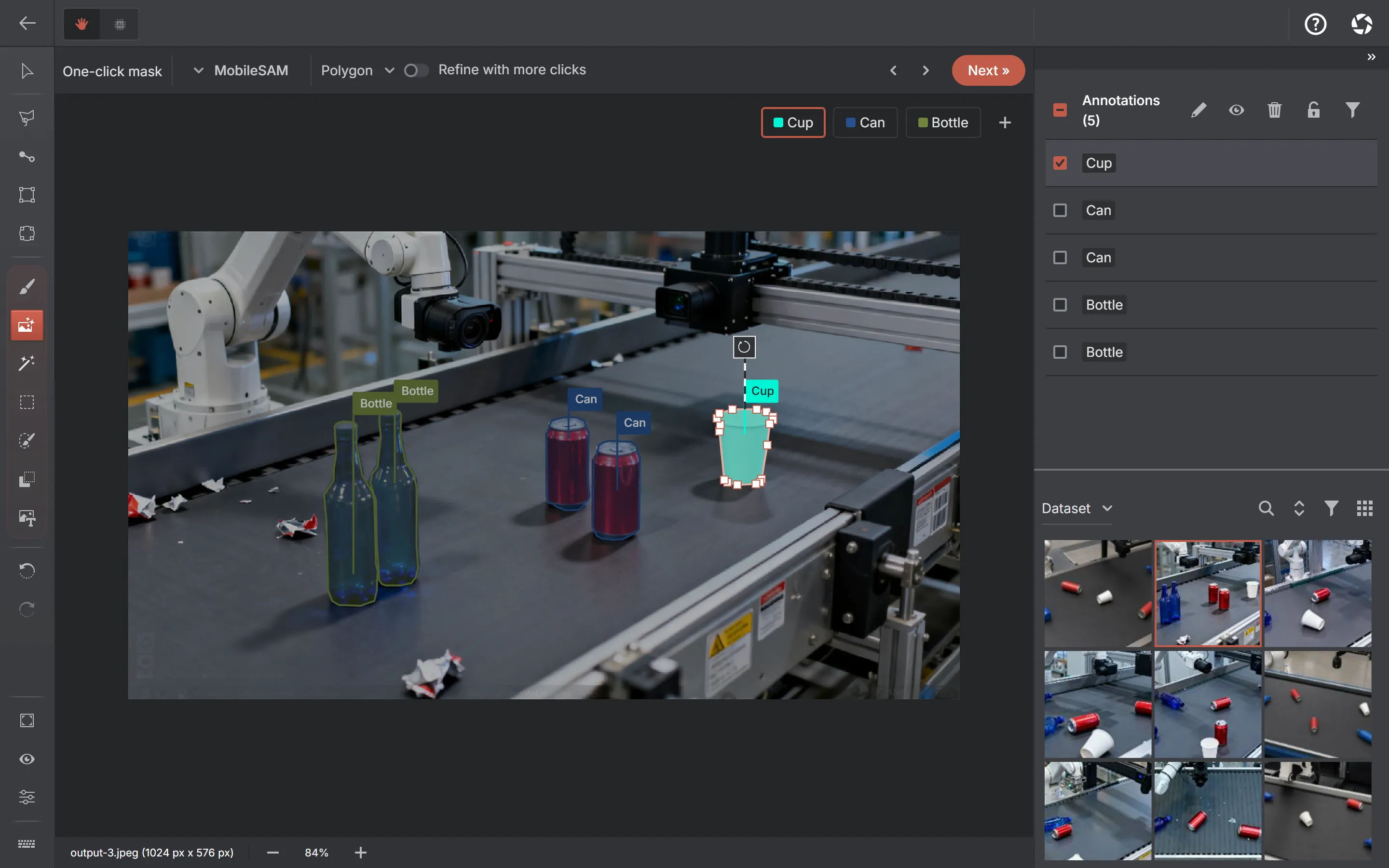
ECSeg returns a separate mask for each surviving query. AnnotateIt converts those masks into editable polygons inside the worker. The reviewer still decides whether a boundary is good enough for the dataset’s purpose.
So which model would I actually use?
Today I would begin with ECDet-S for interactive box annotation. It is the smaller download, its full COCO result has been independently reproduced, and it is the conservative starting point while the complete S/M human study is pending. ECDet-M becomes interesting on difficult images or in batch pre-labeling, where possible quality gains may matter more than immediate response.
For masks, I would start with ECSeg-S for the same reason. ECSeg-M reproduced the stronger mask AP and is worth testing when difficult shapes or boundaries justify the larger model. In every case, I would test representative images before processing a large batch. COCO AP is valuable evidence; it is not a site-specific acceptance test.
Reproducibility and downloads
The four public repositories contain the ONNX file, licence and attribution, pinned upstream source, preprocessing and output contracts, SHA-256 checksums, export or verification scripts and validation reports. AnnotateIt pins every curated download to an immutable Hugging Face commit and verifies file size and SHA-256. It does not use resolve/main for released artifacts.
Sources: ECDet-S FP32 ONNXECDet-M FP32 ONNXECSeg-S FP32 ONNXECSeg-M FP32 ONNX
What I learned
The interesting result was not simply that EdgeCrafter could run locally. I already knew an ONNX export could execute. The useful result was seeing how much work sits between “the model runs” and “the model helps”: reproducible conversion, honest validation, label semantics, runtime failures, a setup flow without meaningless choices and a reviewer who remains in control.
The next experiment is the one that matters most: measuring whether waiting for each prediction is actually cheaper than drawing the annotation manually. Until that result exists, the honest recommendation is a careful starting point. Any claim of a productivity multiplier would be premature. That is less dramatic than “AI labels the dataset for you”. It is also much closer to how useful annotation software is built.
Disclosure: I am the AI & Computer Vision Editor at AnnotateIt. AnnotateIt published these independent ONNX conversions. Upstream figures are labelled as upstream; locally reproduced accuracy and runtime results include their validation scope. No inference provider or hardware vendor sponsored this work.
Frequently asked questions
- Can computer-vision pre-labeling run without uploading images?
- Yes. In this workflow the ONNX model is downloaded and verified once, then ONNX Runtime Web runs inference locally through CPU/WASM. Images, labels, annotations and inference inputs remain on the device.
- Does local auto-annotation replace human review?
- No. The model provides a first draft. A reviewer still accepts, edits or deletes predictions and adds missed objects. The goal is less manual work, not unreviewed labels.
- Should I use EdgeCrafter S or M?
- Start with S for interactive work, then test M on representative difficult images. M has higher upstream accuracy and roughly twice the file size, but the useful choice depends on correction time on your dataset.
- Why are the supported models FP32 instead of INT8?
- Dynamic INT8 made ECDet-S 61 percent smaller and preserved accuracy, but it was about 2 percent slower in the controlled browser benchmark. Static variants were faster in some cases but lost too much COCO AP.
- Can a COCO model automatically map car to Mercedes?
- It should not. Car and Mercedes are related but not equivalent labels, and the COCO model has no brand knowledge. Automatic mapping is safe only for genuinely equivalent class names.