Segment Anything, SAM 2.1 and SAM 3
Click an object and get an editable polygon by default, or keep the model’s exact pixel mask. MobileSAM is built in on every platform; optional SAM 2.1 and SAM 3 variants appear on web and desktop only when their runtime is supported. Every available engine runs on your own hardware — the image is never sent anywhere.
The engines
| Engine | How you get it | Notes |
|---|---|---|
| MobileSAM (built-in) | Bundled — nothing to download | Ready the moment the app opens. The only interactive-segmentation engine offered on iPhone and iPad. |
| SAM 2.1 Tiny | Download from the Models page | The recommended step up from the built-in model. |
| SAM 2.1 Small | Download from the Models page | Sharper masks than Tiny. |
| SAM 2.1 Large | Download from the Models page | Highest mask quality of the SAM 2.1 line, slowest, and it needs WebGPU. |
| SAM 3 | Download from the Models page, after accepting the SAM License | Meta’s newest generation (a community ONNX build of the SAM 3 image tracker). Needs WebGPU — on machines without it the engine is not offered. |
Download sizes are shown next to each engine on the Models page, along with how much local storage the downloaded engines are using. They come from a manifest at runtime, so the app is the accurate source rather than this page.
Using it
- Open an image in an instance-segmentation project and pick the one-click mask tool.
- Click on the object. A mask appears immediately.
- Refine it: add positive clicks for parts the model missed, negative clicks for parts it wrongly included. Extra clicks are cheap — the image was encoded once when you picked the tool, and only the fast decoder re-runs.
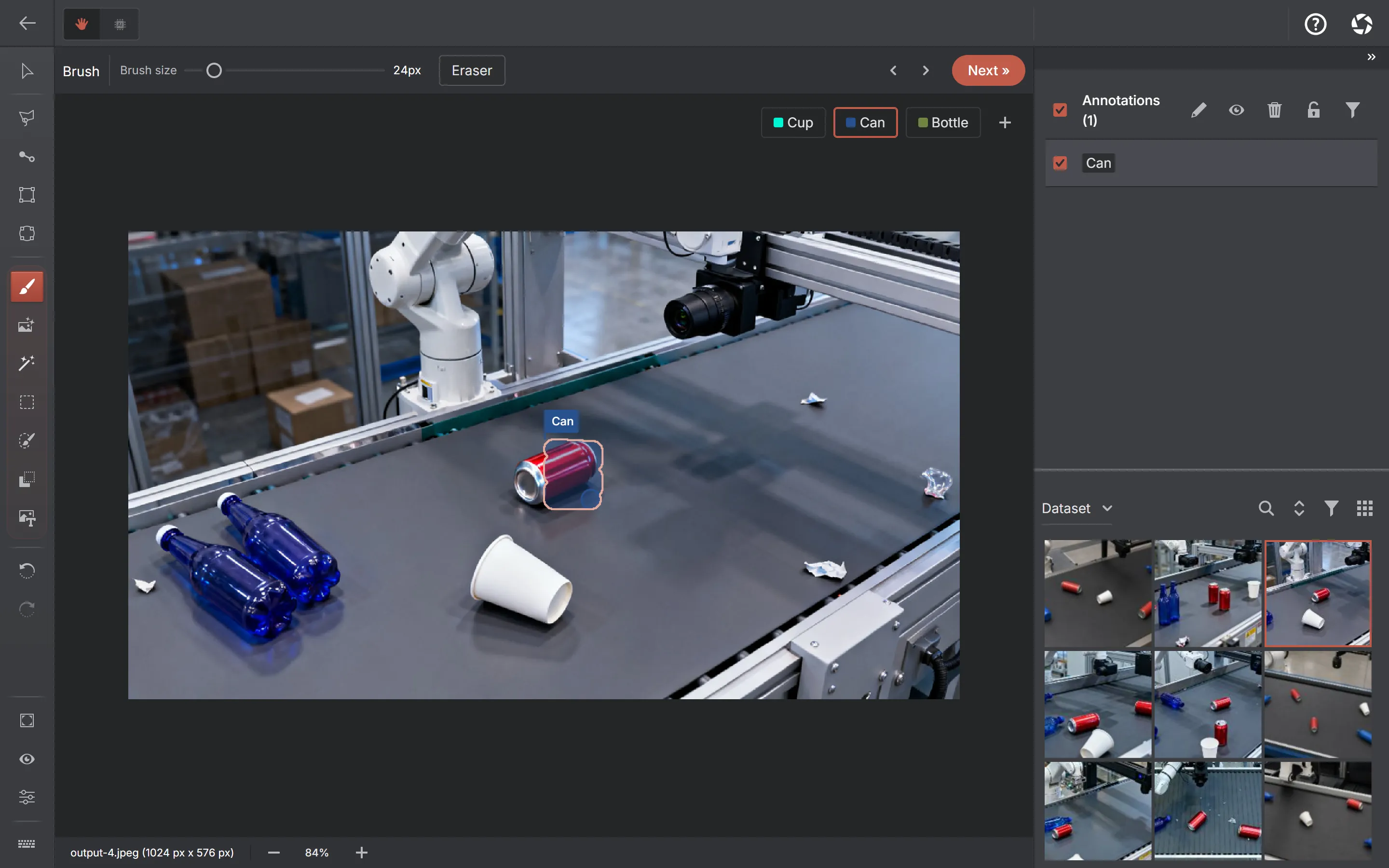
- Assign a label and move on. The default result is an ordinary editable polygon whose vertices you can drag. If you chose Mask output, the exact pixel mask is corrected with the Brush and Eraser tools.
Where inference runs
On your machine. MobileSAM, SAM 2.1 Tiny and Small have a CPU/WebAssembly path, and their encoders can use WebGPU where validated. SAM 2.1 Large and SAM 3 Tracker are offered only when the product’s WebGPU capability gate passes. Large still keeps a CPU fallback if WebGPU session creation fails after it is offered; SAM 3’s encoder is deliberately hard-pinned to WebGPU. SAM 2.1 decoders stay on CPU because their WebGPU path produces wrong masks in the current ONNX Runtime web build.
Nothing about this involves a server. Model files are fetched once — native builds ship the default engine inside the install, and SAM 3 is fetched from a pinned Hugging Face release — and after that the image, the mask and the annotation exist only on your device.
Platform limits
iPhone and iPad get the built-in engine only. The mobile WebView has a hard per-process memory ceiling, and a large encoder plus the runtime plus decoded images reliably exhausts it — so heavy downloadable engines are not offered there rather than offered and then crashing. A compatible desktop browser can offer the full downloadable set when WebGPU is available. Windows and macOS offer SAM 2.1 Large, SAM 3 Tracker and Grounding DINO with a working WebGPU adapter. Both packaged desktop apps also offer CPU/fallback downloads such as SAM 2.1 Tiny and Small.
Pixel mask or polygon
In a segmentation project the model first computes a pixel mask, then the one-click tools trace it into an editable polygon by default. Choose Mask in the tool settings when you want to keep the model’s exact pixels for brush editing or RLE export. In a detection project the output is always a box, whatever the setting says.
Either way the result is an ordinary annotation. A mask can be painted over and rubbed out with the Brush and Eraser tools; a polygon can have its points dragged and can be rotated with a handle.
Getting masks out
| Format | What a pixel mask becomes |
|---|---|
| COCO | Native run-length encoding in segmentation ({ counts, size }), and an area that is the exact pixel count — no tracing, no approximation |
| Datumaro | Its native raster mask type, carrying the same pycocotools-compatible run lengths |
| YOLO | Traced into segmentation polygon rows — one row per separate component. This is lossy: holes and thin bridges collapse to the outer contour |
| Pascal VOC | The mask’s bounding box — the exporter is detection-only by design |
| Project archive / dataset version | The mask itself, losslessly |
Polygons behave the way they always have: polygon rings in COCO and Datumaro, normalised polygon rows in YOLO segmentation, and a bounding box in Pascal VOC. The export dialog tells you before you commit when the format you picked will degrade a mask, and your stored annotations are never altered by an export.