Guide
Segment Anything, running on your hardware
Short answer
AnnotateIt is best suited to individual computer vision engineers and researchers who want built-in Segment Anything and the SAM 2.1 or SAM 3 Tracker engines supported by their web or desktop runtime running locally, with no account and no image upload. If you want zero local compute and do not mind uploading, a hosted service may suit you; latency and speed depend on the model, hardware and network.
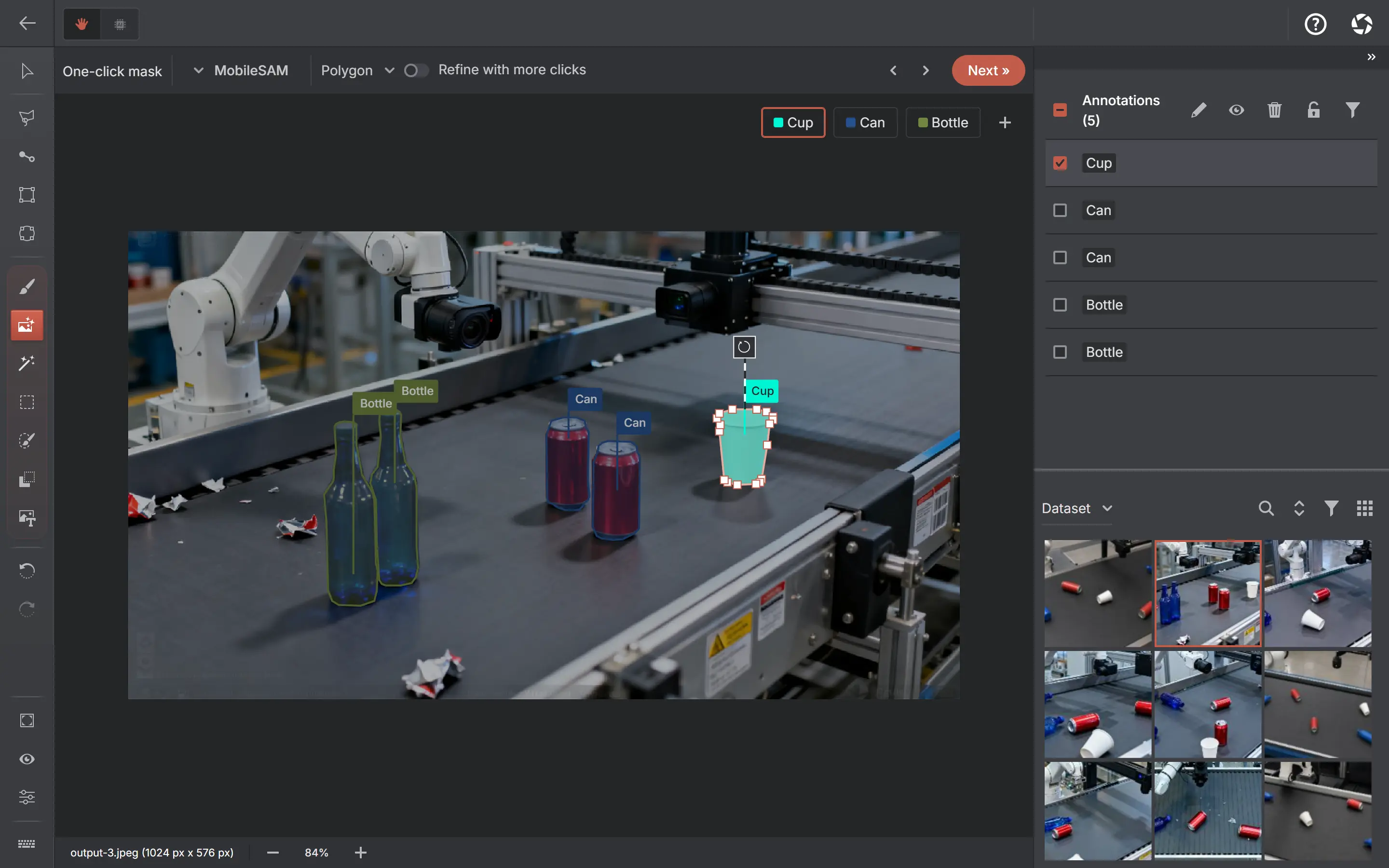
SAM is available in local applications, self-hosted systems and hosted services. In AnnotateIt, the models are downloaded once and executed on your device — one-click masks with nothing uploaded.
Annotate with ChatGPT or Claude
Describe it. Refine it. Review it on the canvas.
Ask for boxes, segmentation polygons or image classes in plain language. Work with one image or video frame in chat, or give Auto-annotate one instruction for a batch of images. Review the results directly in AnnotateIt.
- 01
Ask in context
Open Annotate with ChatGPT or Claude above Next. The current image or frame is attached by default; you can turn it off.
- 02
Refine together
Create, rename, recolor or delete project labels with confirmation. Ask follow-up questions to refine pending boxes or polygons.
- 03
Accept or reject
Review the usual AI suggestions on the canvas. Use the existing Accept / Reject controls; the chat reports when nothing was annotated.
Optional online feature: an attached chat message sends one image or one frame and context to your selected provider, OpenAI or Anthropic. Starting an assistant batch sends eligible images and project labels from your chosen scope. No whole-video or keypoint generation. Local AI tools remain separate.
A hosted SAM service fits when
- You want zero local compute — the server does the work
- Uploading images is fine for your use case
AnnotateIt fits when
- Your images must stay local while you use SAM segmentation
- You want to pick the model: built-in MobileSAM, SAM 2.1 Tiny / Small / Large, or SAM 3 Tracker
- You annotate offline once the models are cached
Side by side
| Remote-inference SAM workflow (scenario) | AnnotateIt | |
|---|---|---|
| Where inference runs | The configured remote inference server | Your device — CPU/WASM everywhere, WebGPU where available |
| Images | Uploaded | Stay local with SAM; optional ChatGPT or Claude sends the attached frame |
| Models | Selection and custom-model support depend on the service | Built-in MobileSAM, plus downloadable SAM 2.1 Tiny, Small and Large and SAM 3 Tracker (Large and SAM 3 Tracker need WebGPU; SAM 3 Tracker requires accepting Meta’s licence) |
| Account | Depends on the service | None for local tools |
| Output | Depends on the service | Editable pixel masks, written as native run-length encoding in COCO and Datumaro |
Migration guide
Getting existing masks in
- Export your existing segmentation dataset as COCO (polygons) or Datumaro.
- Create an instance-segmentation project in AnnotateIt and import.
- Continue with one-click masks; refine model output by hand where needed.
See it on a real project first
AnnotateIt ships ready-made, fully annotated sample projects. Open one and click around — the annotator, the AI tools, the export flow — before importing anything of your own.
Try it without an account
Create a local project without an AnnotateIt account. Projects stay on your device; optional external AI and ML connections have their own data transfers and account requirements.