Which situation is yours
The three YOLO jobs people come here for
Labelling from scratch is only one of them. Editing a dataset you already have, and keeping confidential images off a vendor’s disk, are the other two — and they have different answers.
A private YOLO annotation tool: building datasets without uploading an image
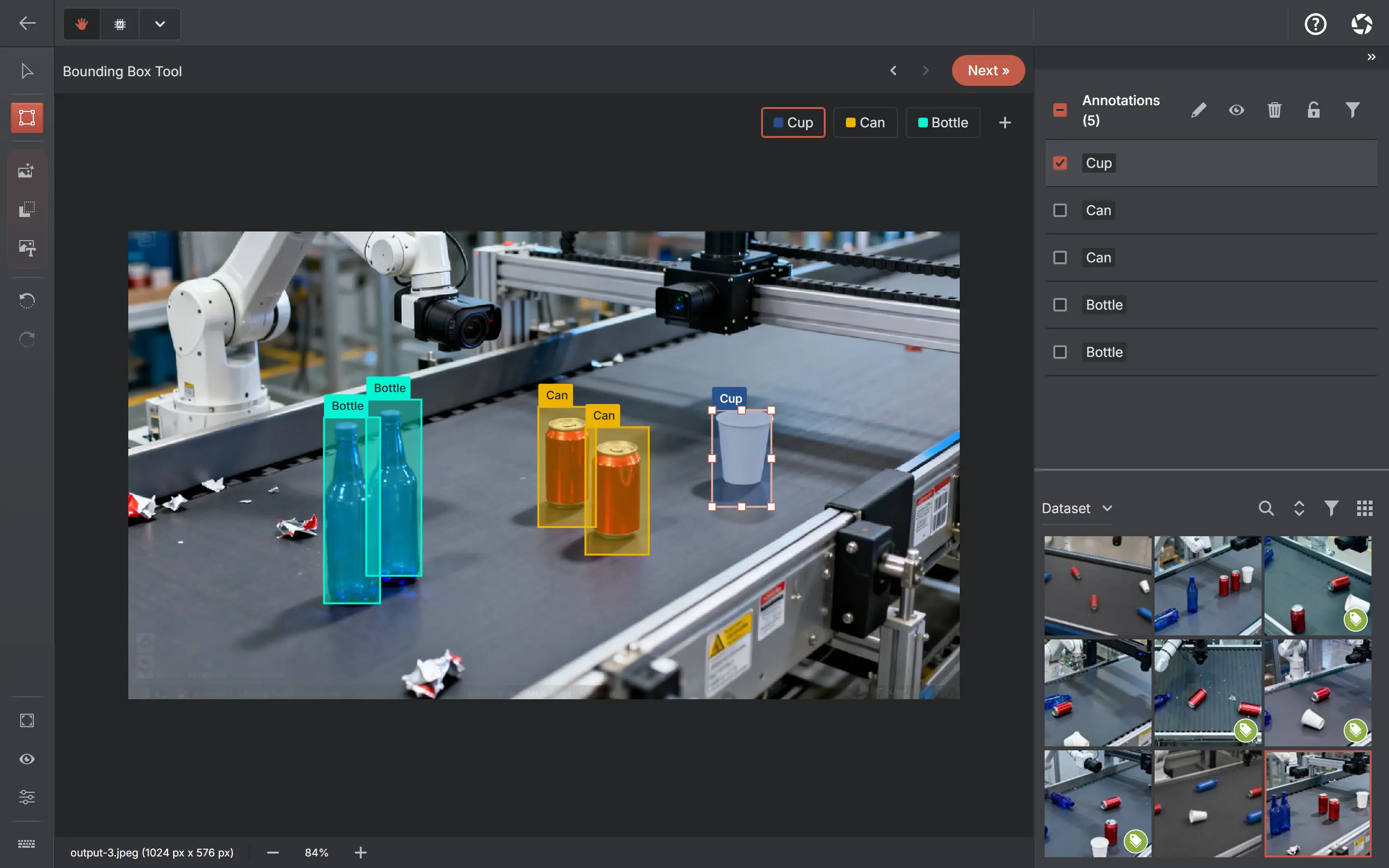
The specific scenario: you are training a YOLO model, your images are confidential — customer footage, medical images, internal manufacturing data — and local and self-hosted alternatives also exist, including X-AnyLabeling, RectLabel, CVAT and Label Studio. AnnotateIt reads and writes YOLO natively and runs entirely on your machine, so the dataset never becomes someone else’s upload.
Local model pre-labelling stays on-device. For anything among the 80 COCO classes, a ready-to-use auto-annotation detector — D-FINE, RT-DETR, RT-DETRv2, DEIM, RF-DETR or EdgeCrafter ECDet — downloads from the Models page and runs on your CPU; you map its classes to your labels, test it on one of your own images and save. Text-prompt detection with Grounding DINO gives you a first pass on a new class, and your own trained YOLOv8, RT-DETR or DETR can be imported as ONNX through an experimental five-step wizard — select the file, inspect what was detected, map its classes to your labels, run a mandatory test on one of your own images, then save. Nothing is saved until a test run succeeds, so a mis-mapped model cannot quietly poison a dataset.
- Images are under NDA, regulated, or simply not yours to upload
- Model files download once (native builds bundle the defaults); inference runs on your CPU or GPU
- Custom model import is capped at 512 MB and rejects output shapes it does not recognise — it is not "any ONNX", and it is experimental
- For YOLO training, export into your own stack; the experimental connected runner currently targets TAO RT-DETR
Editing a YOLO dataset you already have
Import is a first-class path, not an afterthought. Zip the dataset — images, .txt label files and a class list from obj.names or a data.yaml — and the importer reads it: rows with four or more values become boxes, longer even-length rows become segmentation polygons, and label files are matched to images by path rather than bare filename, so split folders with same-named files do not collide.
From there it is an ordinary project: fix the boxes that are wrong, add the class someone forgot, run quality checks over the result, and export back to YOLO. Turn on dataset splits first if you want the Ultralytics train/val/test folder layout and a data.yaml that trains without further editing.
- Recognises obj.names and data.yaml class lists; boxes and segmentation polygons both round-trip
- Quality checks flag empty images, tiny or out-of-bounds boxes and label imbalance before you retrain
- Dataset versions let you freeze the state you imported, so you can diff or restore it later
- Export back to YOLO, or to COCO, Pascal VOC or Datumaro if the next pipeline expects something else
A local YOLO labeler that is more than a box tool
An image-box tool such as archived labelImg can be sufficient for occasional work and supports more than one export format. The reason to want more is usually that the project stopped being only boxes: the same footage now needs segmentation masks, or keypoints, or a per-image class — and each of those in a separate tool means a separate export path and a separate set of mistakes.
Everything here shares one import and export pipeline, so a detection project, a segmentation project and a classification project all come out in formats your training stack already reads. Video is part of that too: annotate it in place with keyframe tracks, or split it into frames on your device — no upload, and no ffmpeg incantation to remember.